
I "Hacked" Discord's API to Download All Messages & Attachments (And Made a FREE Chrome Extension For This)
Key takeaways
- When Claude is struggling to copy a design from an image, the problem is usually too much noise in the prompt. Isolate the component you want (on the image), remove the background and extra elements, and give it a much smaller prompt. One image, one component at a time.
- Keep your i18n translation strings in place while building, but leave all the actual translated content in English until right before you publish. Translating mid-development slows everything down unnecessarily.
- For design iteration with AI, do the first tab in ChatGPT and get it right, then ask it to apply the same design language to the next tabs one at a time. Don't dump everything into a single massive prompt.
I "Hacked" Discord's API to Download All Messages & Attachments (And Made a FREE Chrome Extension For This)
This is episode 11 of Coding Until I Make $100K, where I'm building apps in public from $0 until I hit six figures. If you're new here, the full series is at codedcitadel.com.
This one was a bit of a detour. I wasn't planning to build a Discord exporter. I was actually researching a completely different platform, stumbled onto a genuine gap, and ended up shipping a full extension in a few days. Here's the whole story.
You can watch the build on YouTube.
How I Found the Idea (It Wasn't on My Roadmap)
I recently came across a platform called Fourthwall. Think of it like a Shopify aimed specifically at digital creators. It sells digital products and honestly it's pretty good. I've personally used it with a couple of side projects to sell digital products unrelated to this channel.
Fourthwall has essentially no apps yet, apart from some basic ones, and their documentation is still a bit rough around the edges. They don't even have an easily accessible apps page. So I'm keeping an eye on it and waiting for the ecosystem to grow a bit more before I decide to make a move.
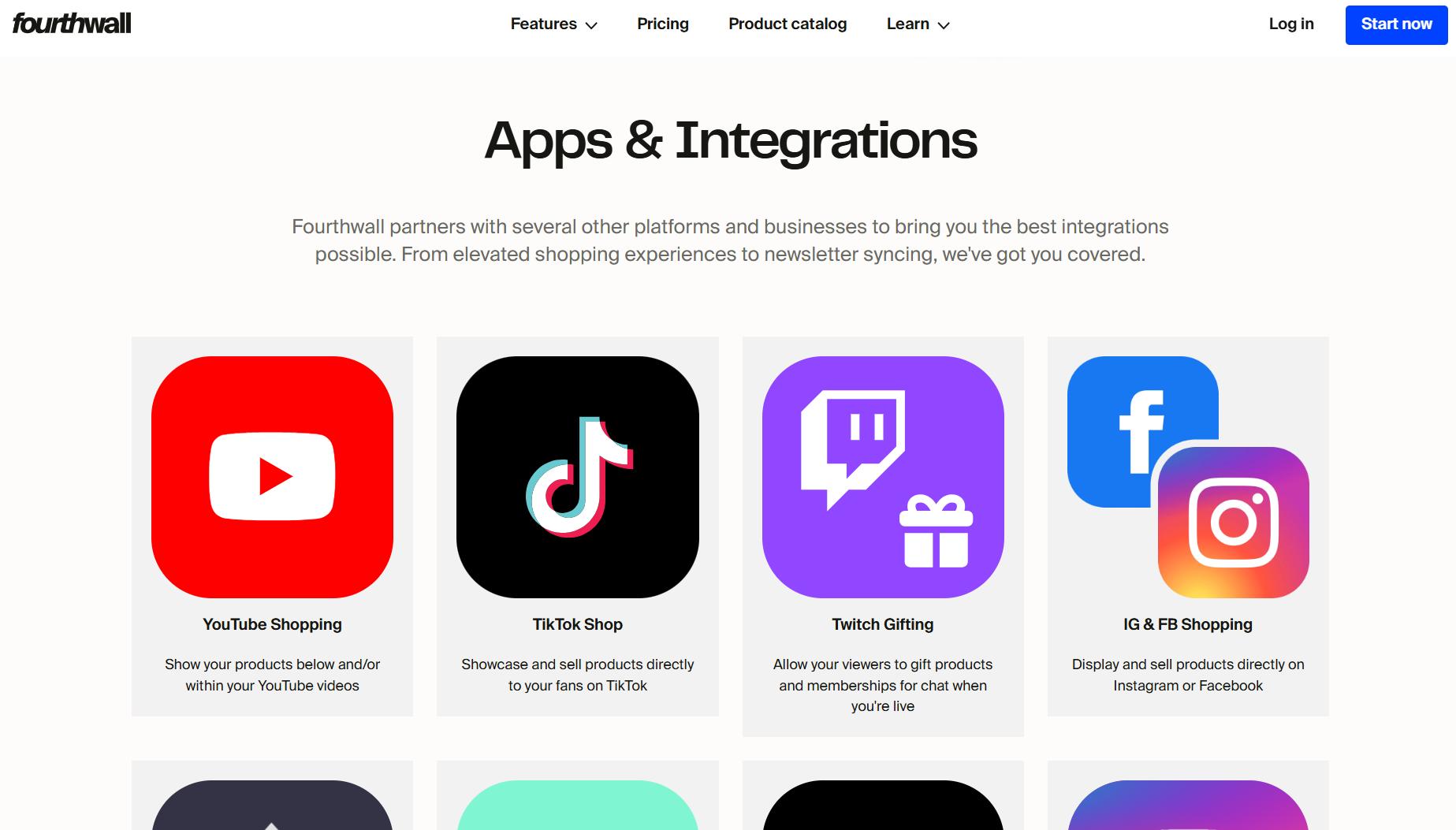
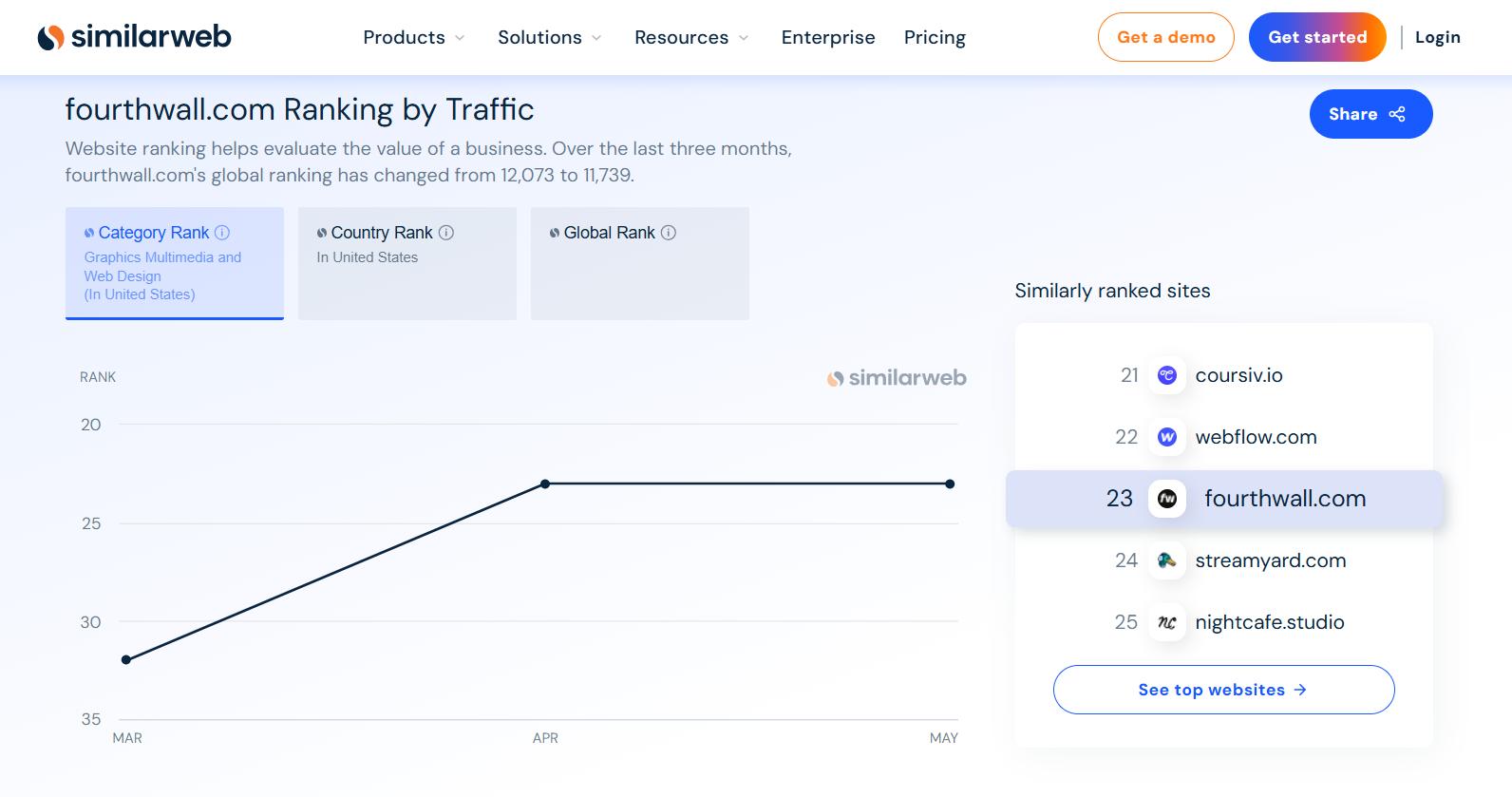
That said, I thought: before building apps for Fourthwall, what about a Chrome extension for it? Are there even enough people using the platform? I looked into it and yes, it's growing steadily. It's still very new, and there is essentially zero developer competition there.
So I started looking for a Fourthwall community online, and it doesn't really have one yet. Except for Discord.
I logged in, joined their server, and started going through the messages to see if I could spot any common pain points. Maybe something a Chrome extension could solve for them.
And that's when I noticed something obvious: Discord has no built-in way to export messages from a channel. You just can't do it natively.
The Existing Solutions Are a Mess
I went and looked at what's already on the Chrome Web Store for Discord message exporting.
Not only are all of them paid, some of them don't even work at all. And if you look at the recent reviews, a lot of them have complaints about broken functionality.
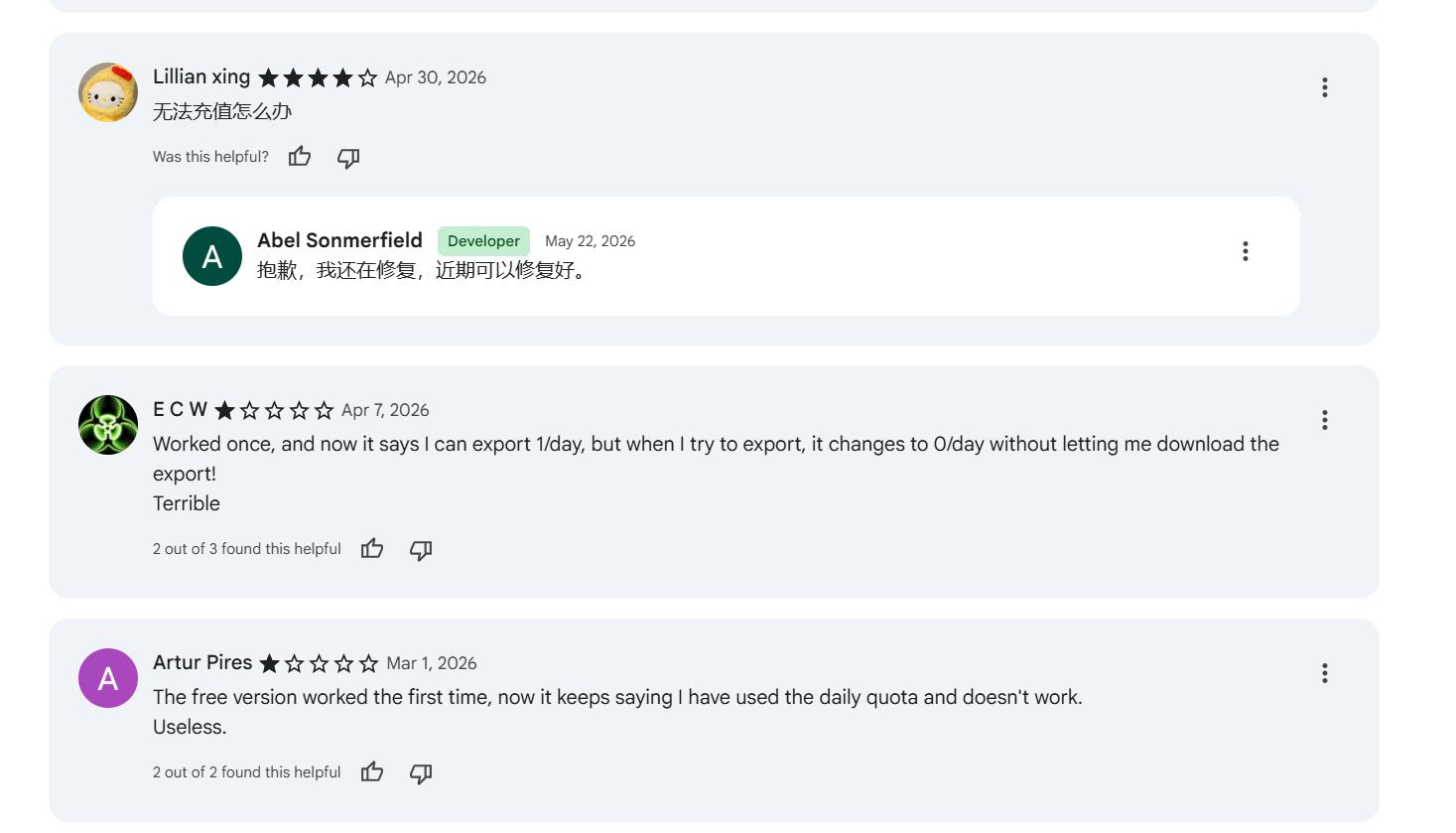
But the biggest gap I noticed: none of them let you export all channel messages at once. I wanted something like a bunch of checkboxes that I could choose what channels to export.
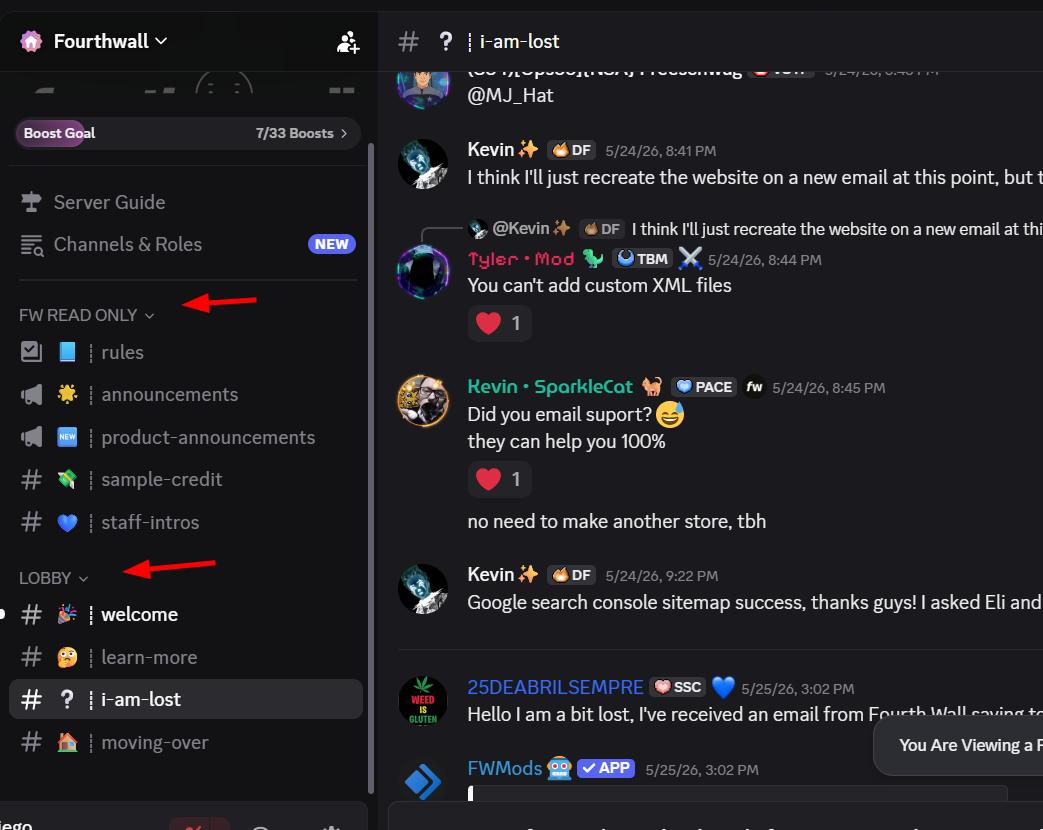
What if I want to export only the messages from a "welcome" channel, or a specific support thread? None of the existing solutions I found had that option. So let's code it.
While I was researching a pain point for a completely different idea, I stumbled into a different pain point. I'll take it.
Understanding Discord's API (The "Hello World" Phase)
As always, before touching the Chrome extension itself, I create a script I can run directly in the browser console. I call this the "hello world" phase, and it's something I do with every single extension. It forces you to understand what you're actually fetching before you write a single line of extension code, and it makes everything easier down the line.
The first step here is finding where the messages are actually being fetched from. So let's open the network tab and search for one of the messages.
There it is. The messages are coming from a specific API endpoint.
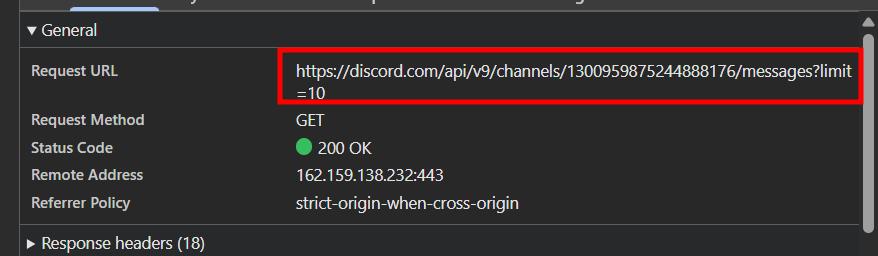
This is already a huge win. And just like the existing competitors, we'll also need to handle attachments eventually, either bundling them as zip files or letting the user pick which ones to download. But one thing at a time.
The next step is figuring out how to fetch and filter by individual channels.
Exploring Channels and Fetching by Channel ID
I checked whether the channel name is included in the API response. It's not.
So let's find out where it actually comes from, and whether we can fetch all channel names programmatically.
There are no names directly exposed, but there is a numeric ID for each channel.
That's enough. I sent the request URL and headers (with sensitive data removed) to Claude and asked it to generate a script to fetch messages from the API on demand.
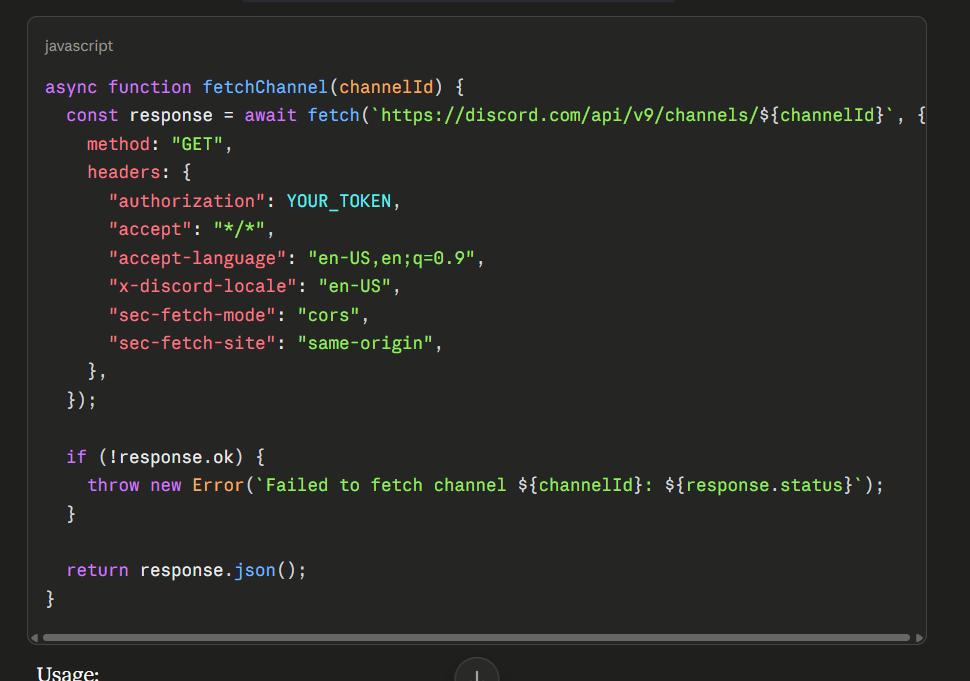
But this won't work out of the box because the auth token is dynamic. It can't just be hardcoded. After some digging around on the Discord page, I got lucky: I found the token as a data attribute on the body element, so we can grab it directly from the DOM.
At this point we can fetch a channel and its messages, but only the first 50.
So let's paginate it.
Now all messages are being fetched correctly. Honestly, this is pretty much 50% of the extension done. All we need now is a UI. Time to move to the actual Chrome extension.
Building the Chrome Extension
Before writing the prompt for the extension, I want to mention something I recently learned from another Chrome extension developer about SEO: localization matters a lot for Chrome Web Store rankings. Making your extension available in multiple languages can give you a real visibility boost.
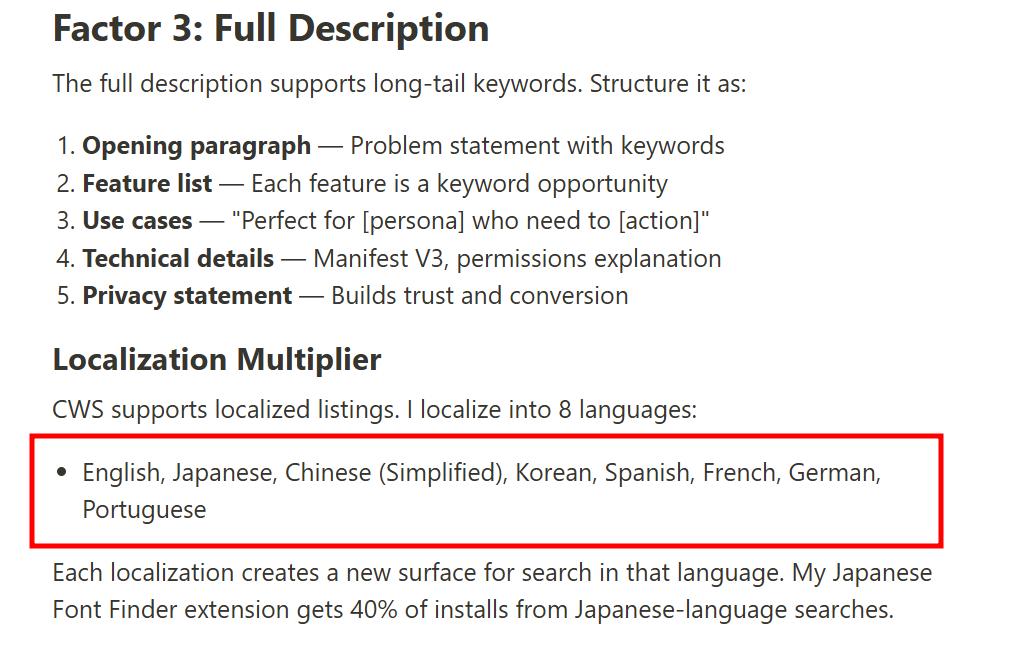
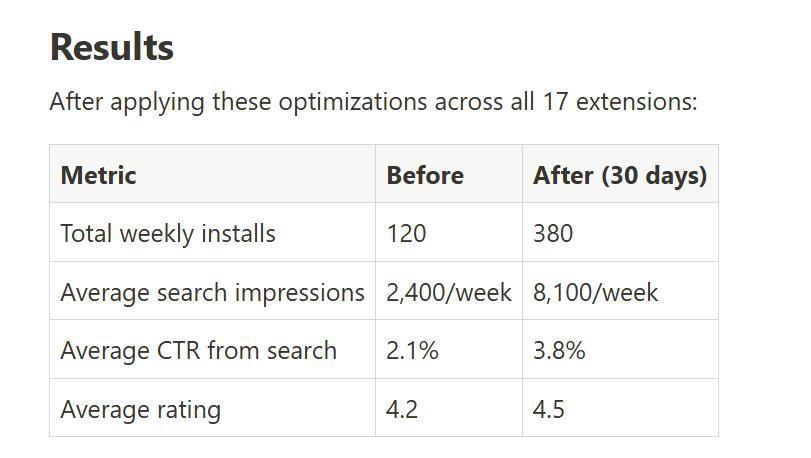
So I'm going to start implementing localization from the beginning with all my new extensions from now on.
Before writing the prompt, I create the sample files in the extension folder so the AI has something to reference.
I also need to show the AI where to find the channel IDs in the DOM, so I give it a selector.
That selector returns 9 elements, and there are exactly 9 channels, so it's going to pick them all up correctly.
The prompt is ready. Let's run it in Cursor.
As expected, the first prompt always produces at least one bug.
Standard debugging procedure here: open the console, check what's going wrong, and forward the error to Cursor. A few years ago something like this could have cost me a full day or two of debugging. Now it's usually a few minutes.
Turns out I exaggerated even that. It was a simple issue.
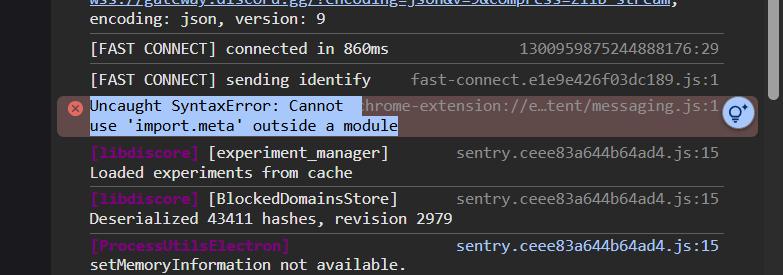
The basics are working.
Whenever you're dealing with a bug, especially one that throws an error, always look at the console first and share whatever you see there with the AI. It's the single most effective first step you can take.
Fixing the Token Fetch (The DOM Attribute Approach Doesn't Always Work)
Now that the basics are running, I need to verify the full export functionality end to end. There are still a lot of small things to polish (showing selected channel count, total message count, etc.) but let's at least confirm the core works.
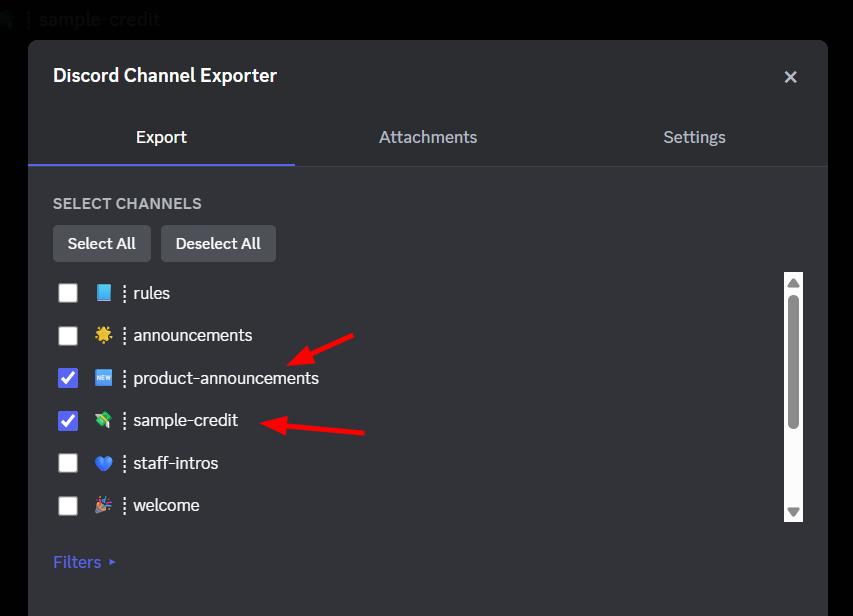
Let's try an export in each format.
Well. It doesn't work.
The extension can't find the token. So let's figure out why.
Turns out I was wrong earlier: the token being injected as a data attribute in the DOM is not something Discord does consistently. It doesn't always appear. So we need a different approach.
Here's how I found the token and learned to intercept it reliably. This is one of those moments where it really pays to slow down and understand what's happening under the hood.
Open DevTools and go to the Network tab.
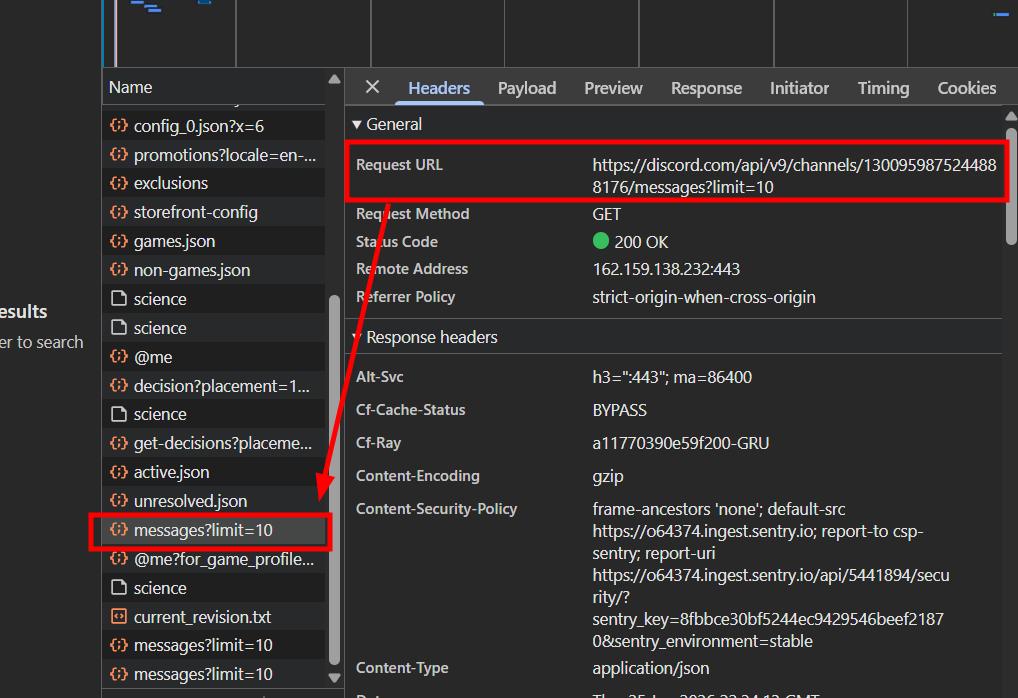
Click on any channel to trigger an API call and watch the URLs Discord fetches.
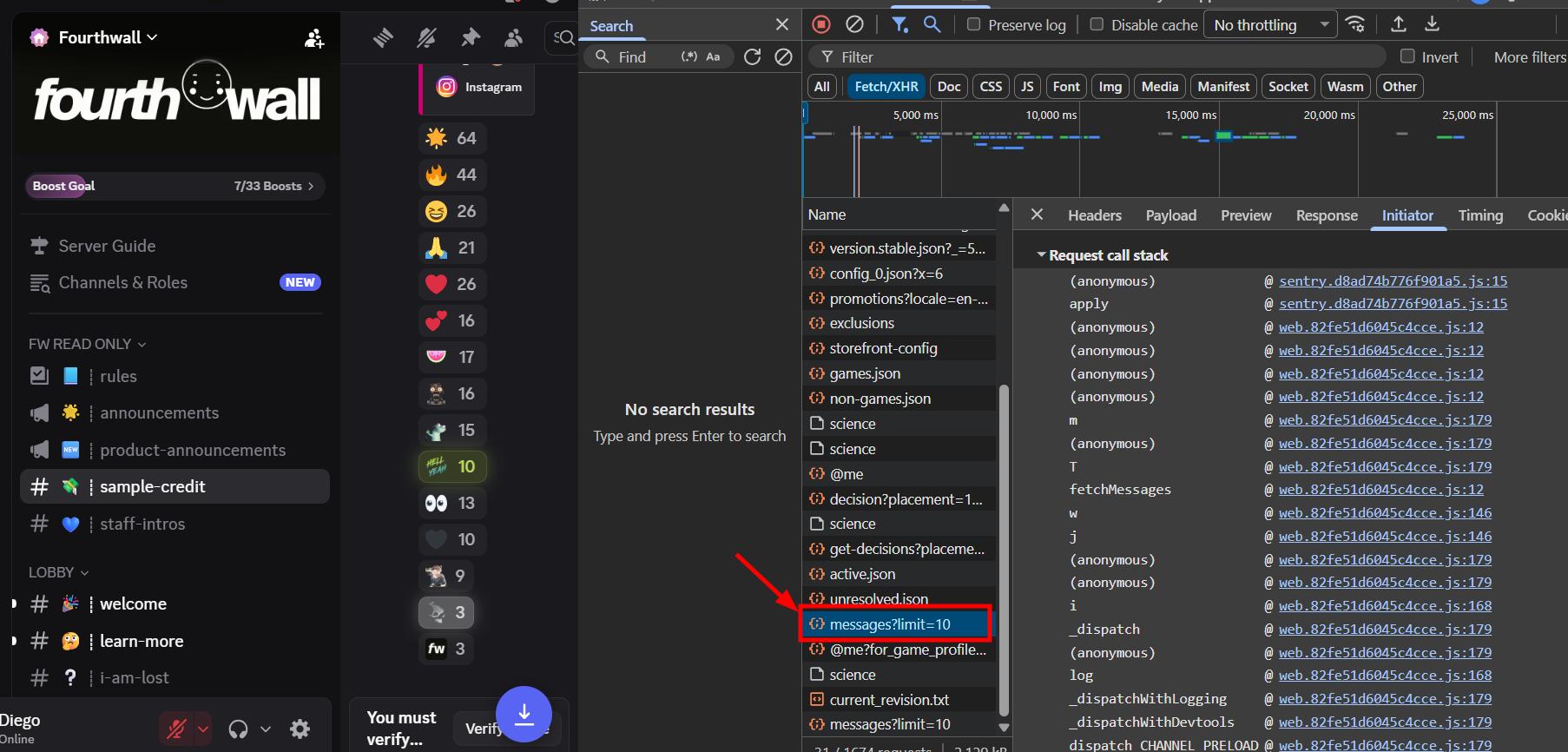
- I can see the request URL clearly. Since every single API request Discord makes uses the same token (channels, messages, users, all of it), we just need to intercept one of them and capture the authorization header. It doesn't matter which endpoint we catch.
- Go to the Initiator tab to find the file that's making the fetch.
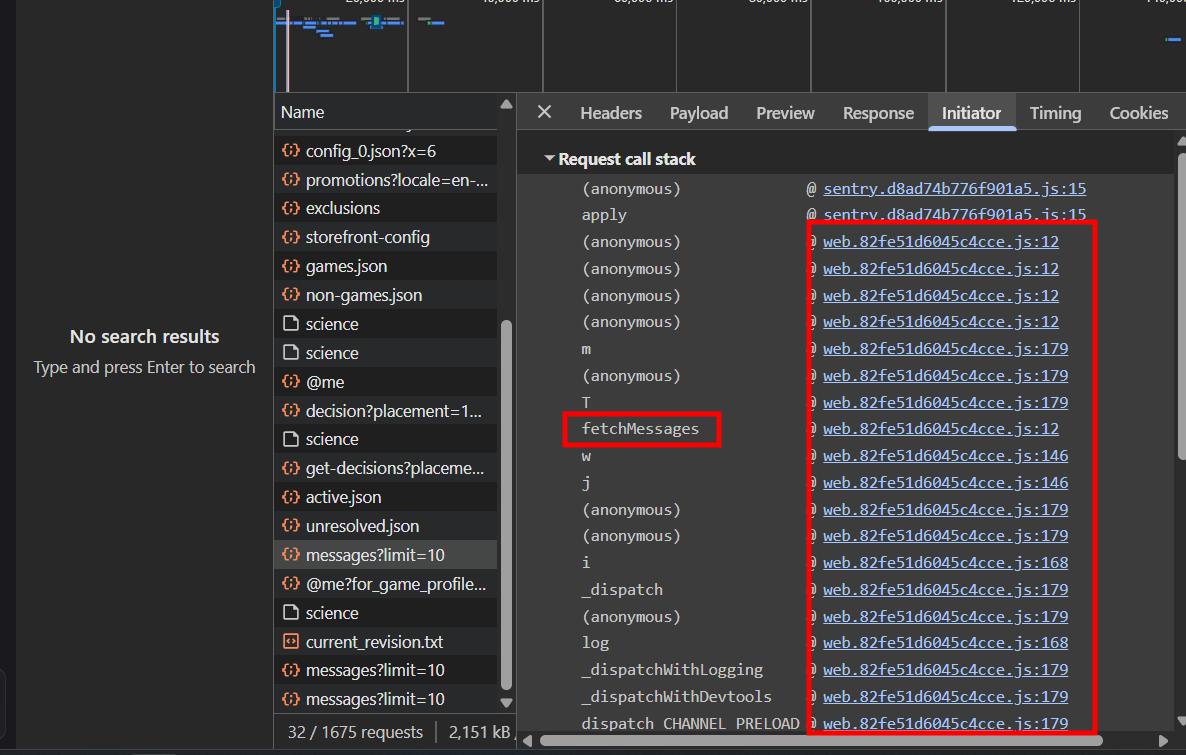
There are two files. Based on the function names visible in the "web" file, I know from experience that's where the token handling is going to live. So that's the one we're going to intercept.
Open the file and add a fetch breakpoint for that API. Since the token shows up in every API call, we don't need to be specific about the endpoint. We just need any request to pause execution so we can inspect the headers.
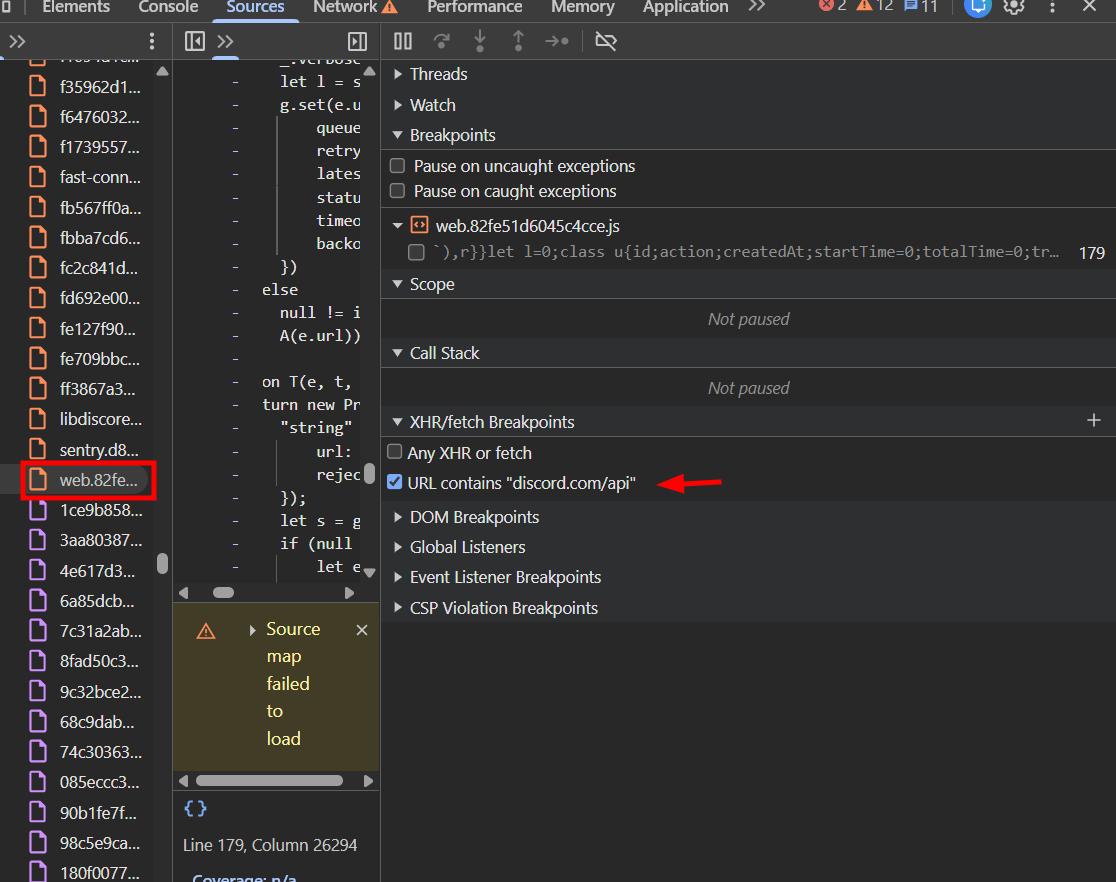
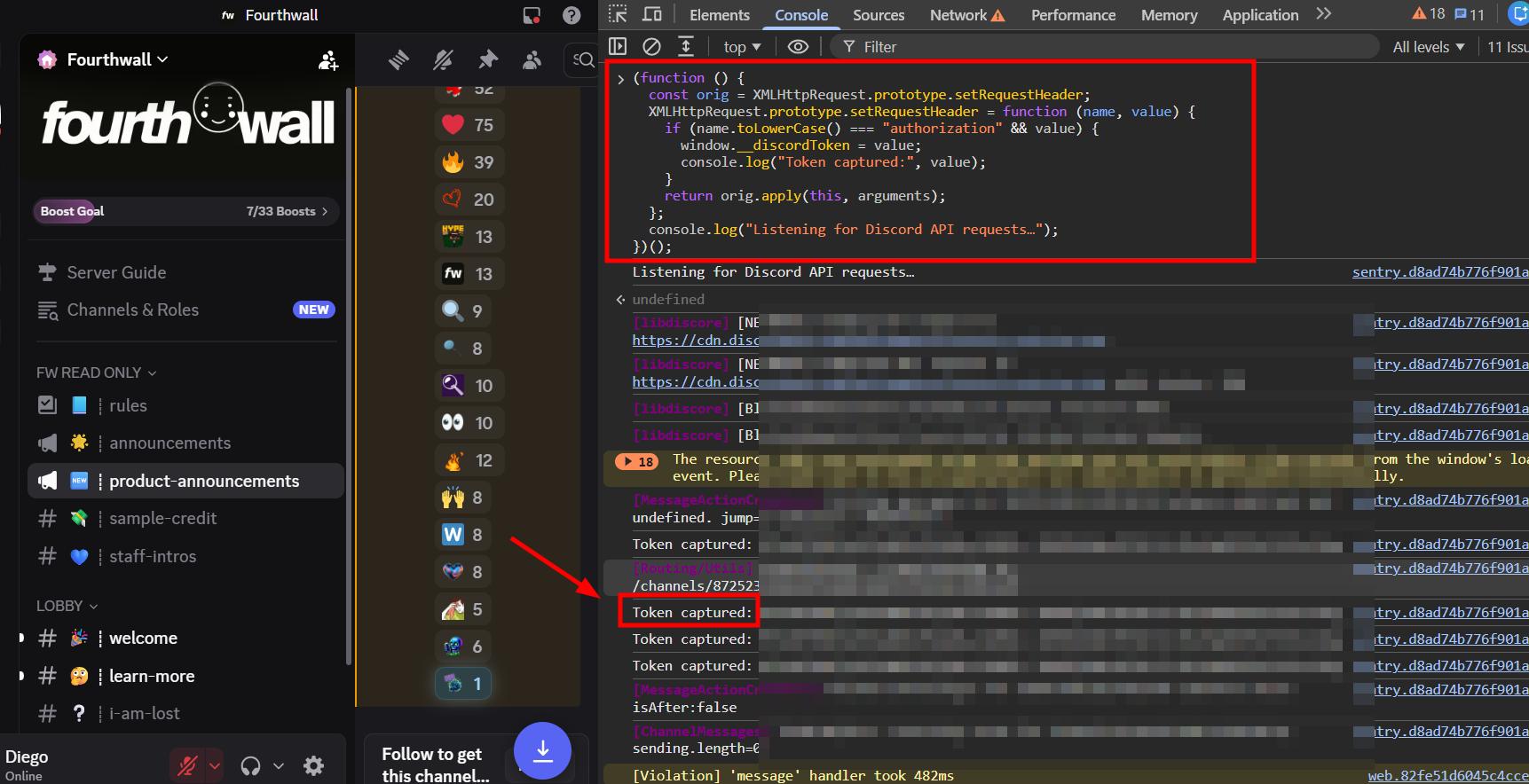
- Refresh the page. Immediately, in the XHR section, you can see a function passing the request headers we need. The "authorization" value is exactly the token we're after.
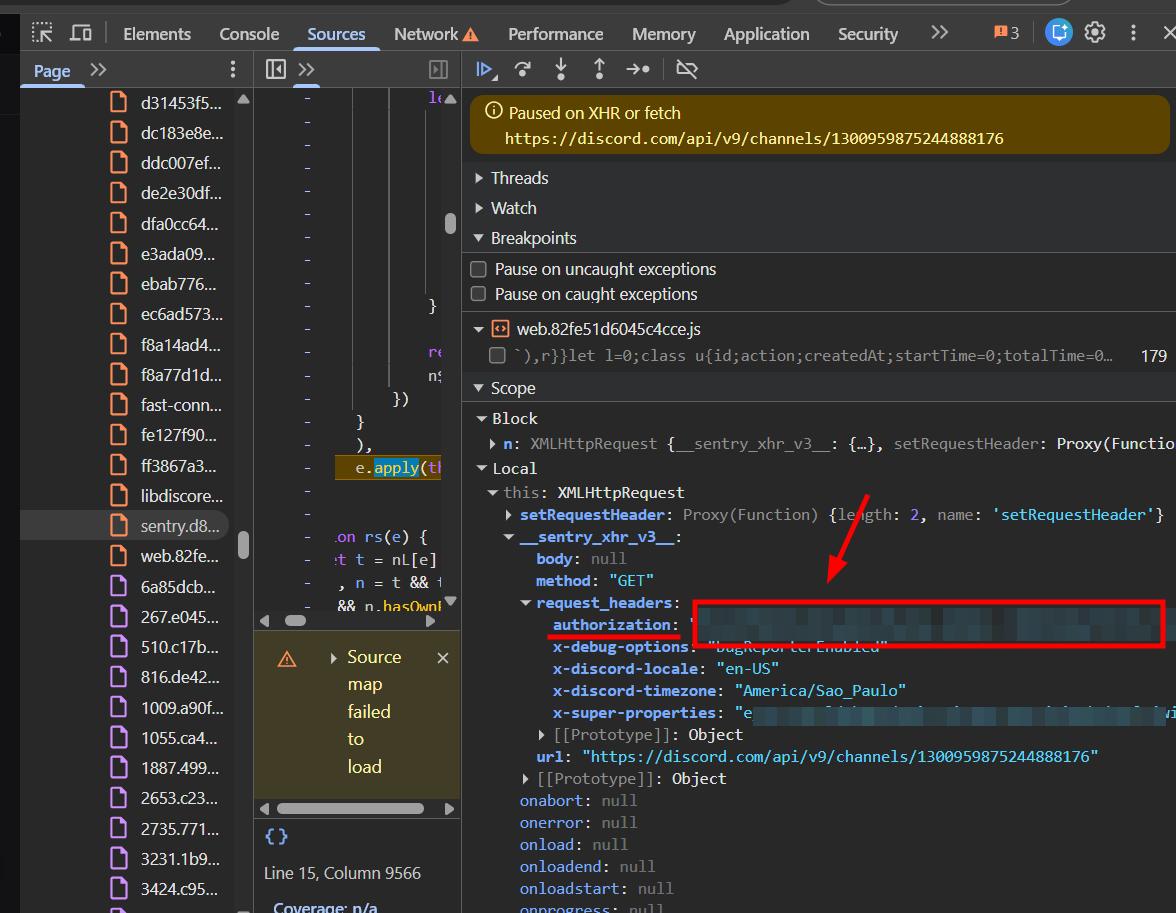
- Now that I understand the structure, I ask Claude to write a function that intercepts any outgoing channel API call and captures the authorization token the moment it happens. This way the extension can "listen" passively and grab the token as soon as Discord makes any API request.
Now let's wire this into the extension properly.
Handling Large Channels (UX Problem)
One immediate issue I notice: some channels have a lot of messages, and fetching all of them upfront takes a while. That's a bad experience.
So the approach needs to change. Instead of fetching everything immediately, we first show the user how many messages are available in the channel, then let them decide how many they want to export: all of them, the last 500, or messages between two dates.
Planning the UX:
One thing I also decided here: translations are taking a lot of development time. From now on I'm going to keep all text in English while building, but leave the i18n message keys in place. I'll only fill in the actual translations right before deploying. This is a much cleaner workflow and it saves a ton of time mid-development.
I like this updated UX a lot better. Let's see it working.
HTML exports are working great.
PDF Exports, Caching, and Attachments
PDF export isn't working properly yet, and we also need to cache exported messages so the extension doesn't need to re-fetch from the API every time the user switches tabs.
For the PDF approach, I'm going to use the same strategy I used in the Gmail exporter (I'll link to that blog post here). Convert to HTML first, then export the HTML as PDF.
The PDF was a bit off at first, not going full width. Let me fix that.
Something worth noting though: attachments are already working well, even at this stage. The UX still needs work (we need to show how many files will be downloaded, etc.) but the underlying functionality is there.
Now it's working well. The only remaining PDF issue is removing the white borders on the left and right edges.
For the caching logic, here's what I implemented:
If the user goes from Tab 2 back to Tab 1 and changes their channel selection, then switches back to Tab 2, the extension automatically re-fetches only what changed. They don't need to press a "next" button.
If the user selects Channel A and exports 200 messages, those are cached in IndexedDB. Then, without refreshing the page, if they go back and add Channel B to their selection, the extension will only make an API call for Channel B. Channel A's data is already stored.
PDF export fixed.
Caching implemented for channel selections.
Everything is working. Now let's fix the design.
Designing the UI
I always use ChatGPT for the initial design work. I describe the UI in as much detail as I can and let it generate a reference image, then I hand that image to Claude to produce the HTML/CSS.
Since this extension has multiple tabs, I start by asking ChatGPT to design just one tab first. Once that looks right, I edit the image and ask it to apply the same design language to the next tab. If you're ever designing a multi-page app or a multi-tab UI with AI, this is the approach to use: one tab at a time, carry the same design system forward.
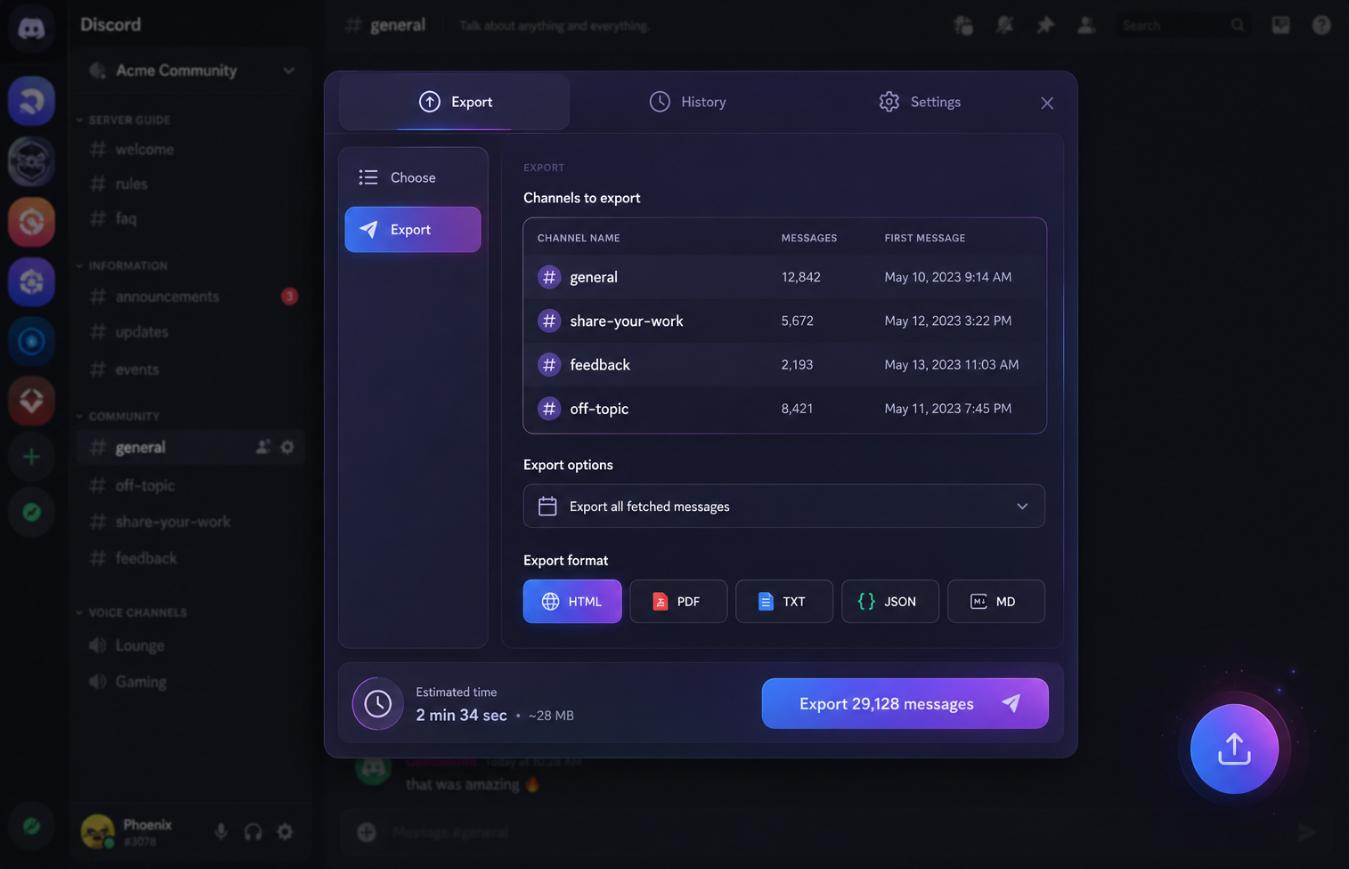
Not bad. Now the next tab.
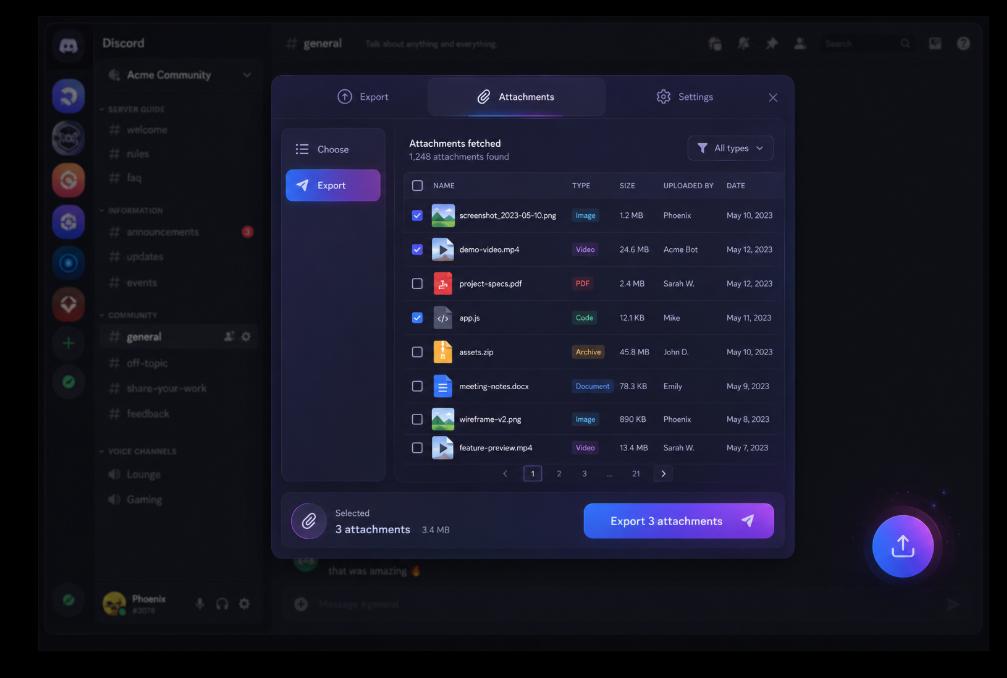
The images in this tab needed to be larger so the user can actually preview attachments before exporting. Let me adjust that.
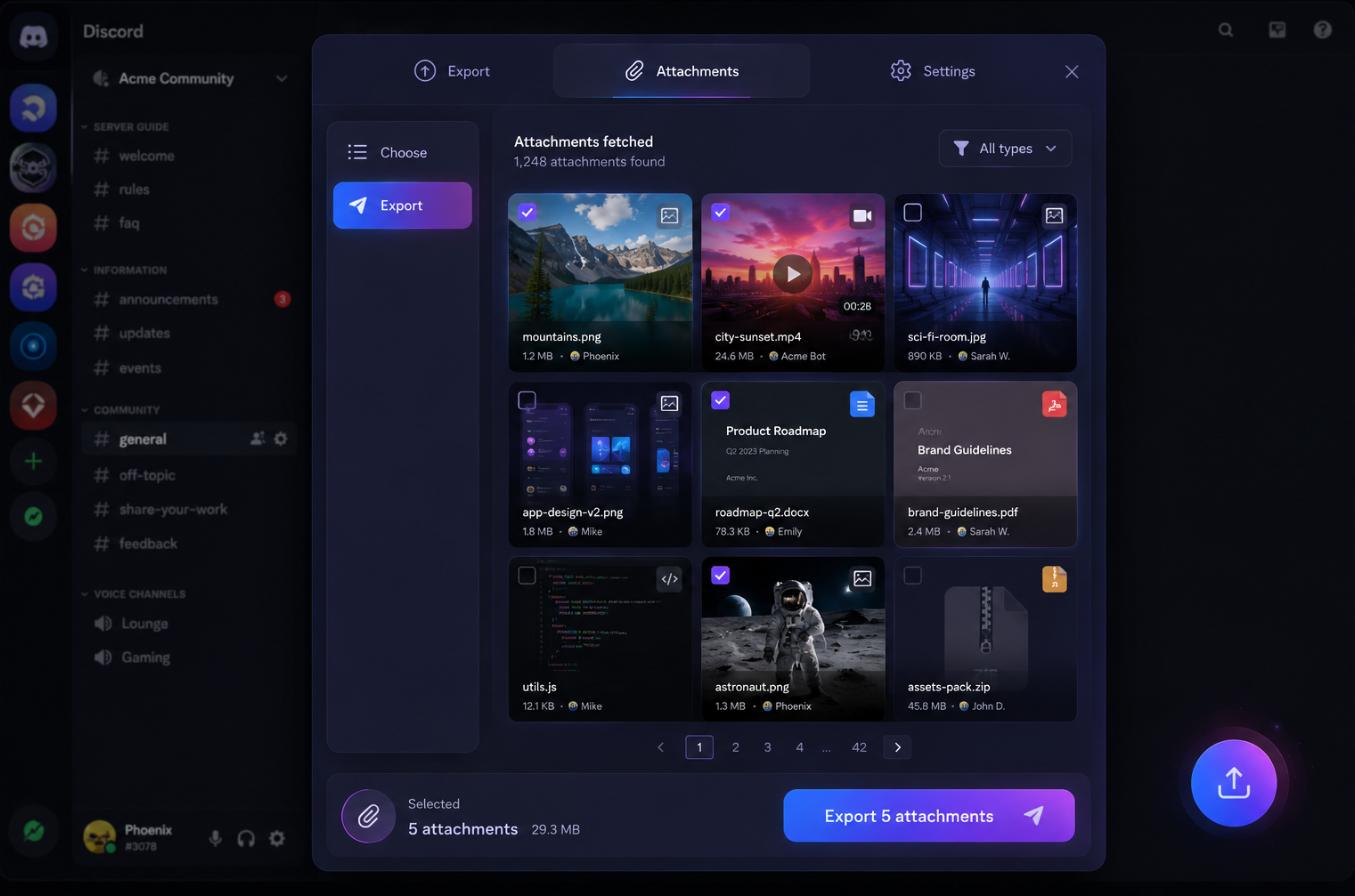
Much better. The settings tab is going to be fairly basic, so no design needed for that one.
Now let's send these to Claude and get the HTML/CSS/JS.
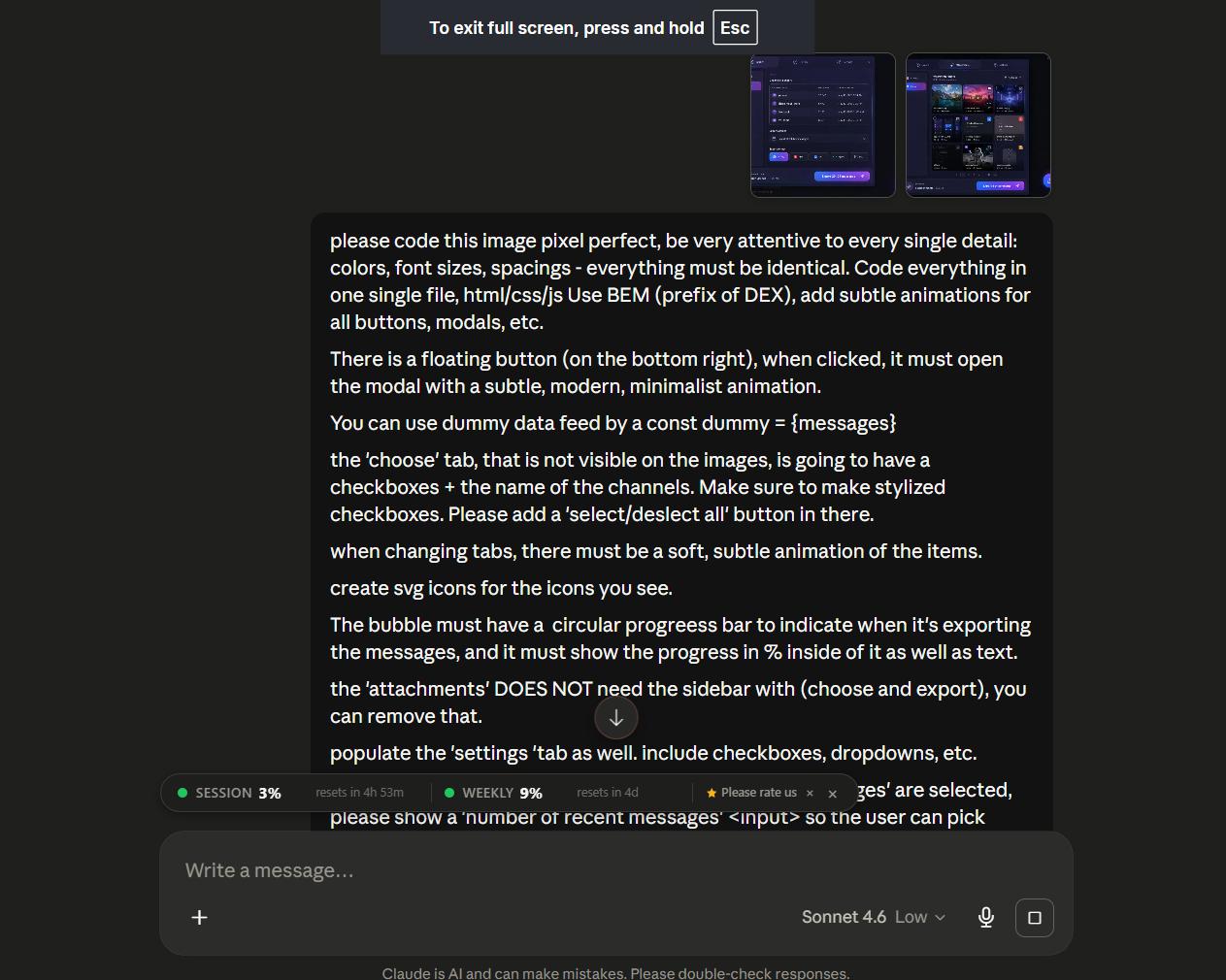
This time I needed quite a few tries to get what I wanted. Claude was struggling to replicate the design, which was unusual compared to past projects. I think I know why: I overloaded the prompt. Two images and a huge block of text, all in one go.
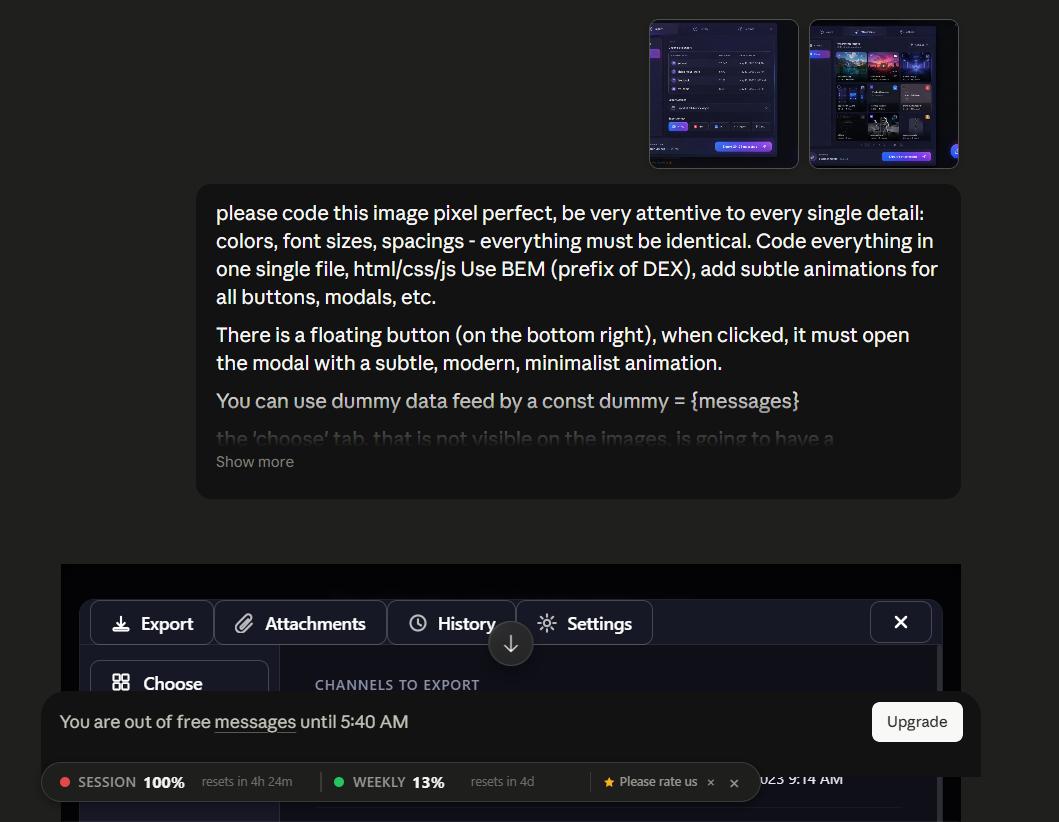
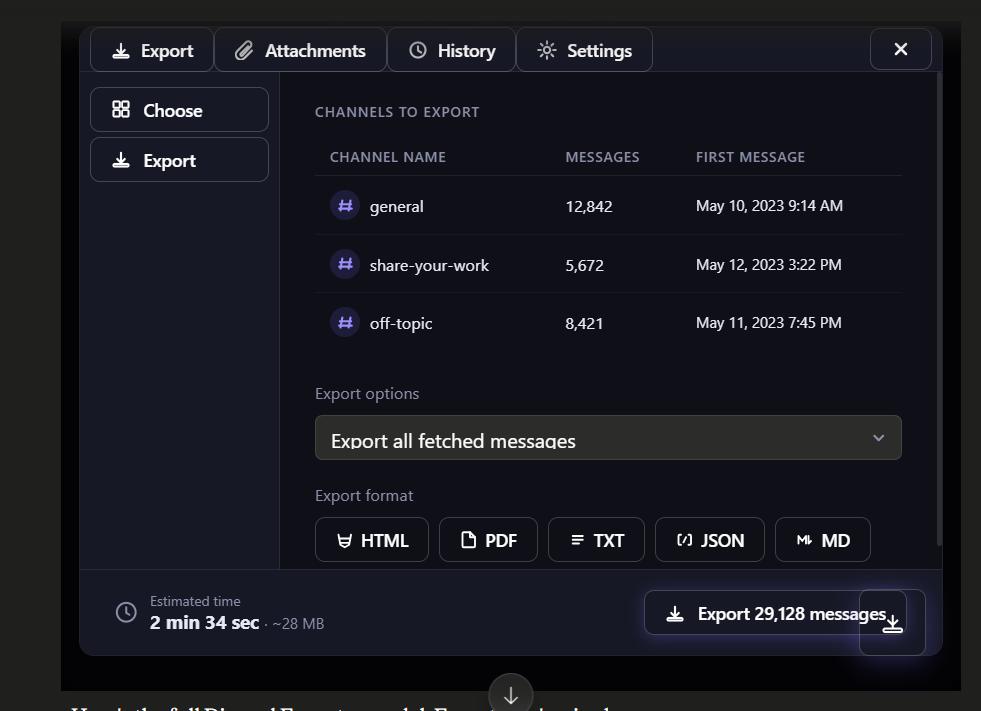
There was also another problem: the reference image had too many elements in frame. A modal, a background and a button all at once. That adds noise to what Claude is trying to replicate.
So I switched to a much smaller, more focused prompt and cropped the image to show only the modal itself.
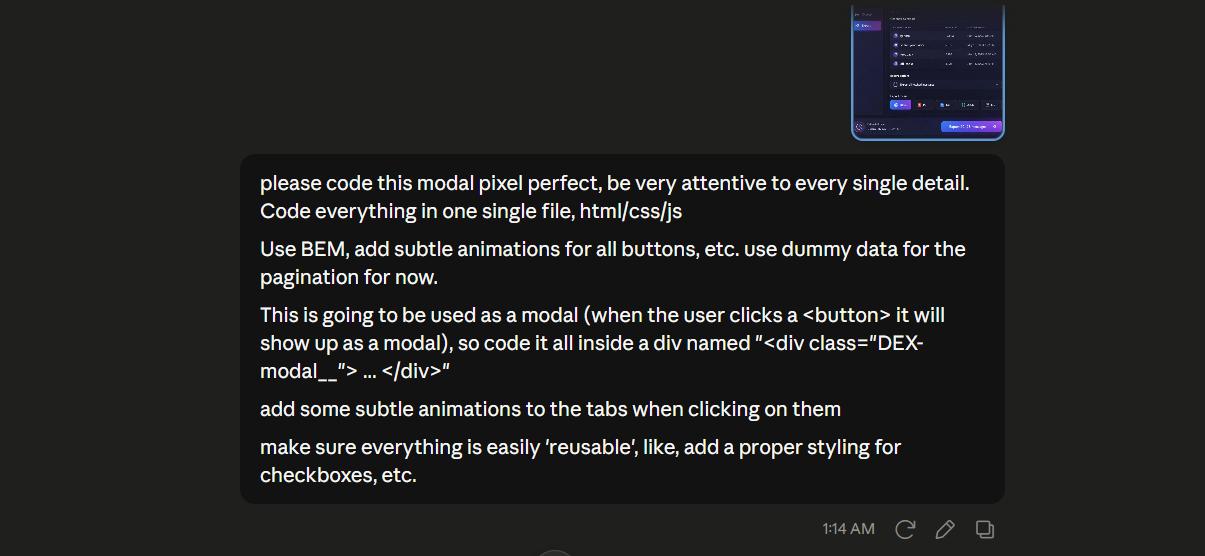
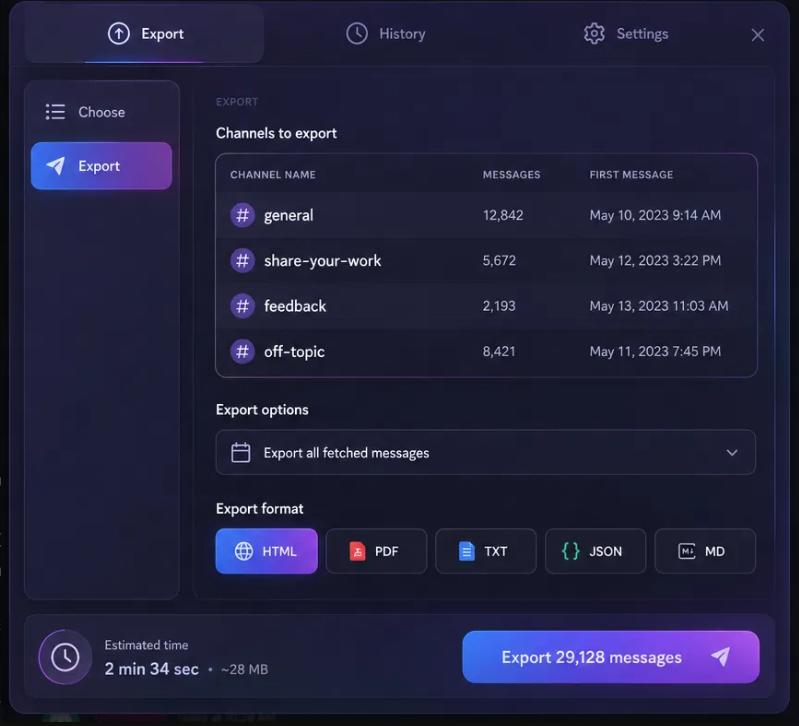
Still not quite right, so I moved to Cursor's auto mode and worked through it step by step.
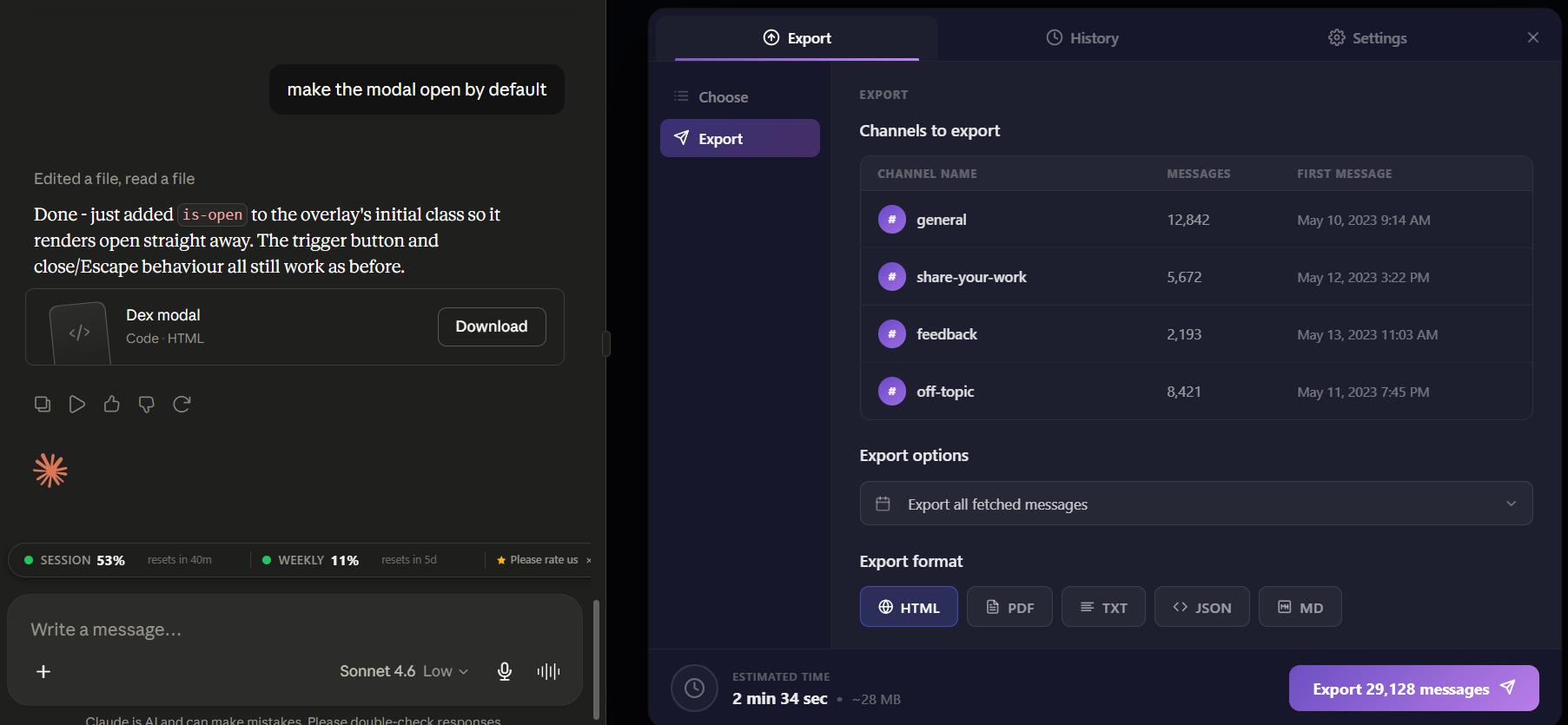
Cursor's auto mode actually did a pretty solid job here. I'm probably going to lean on it more for design implementation going forward instead of using Claude for that part specifically.
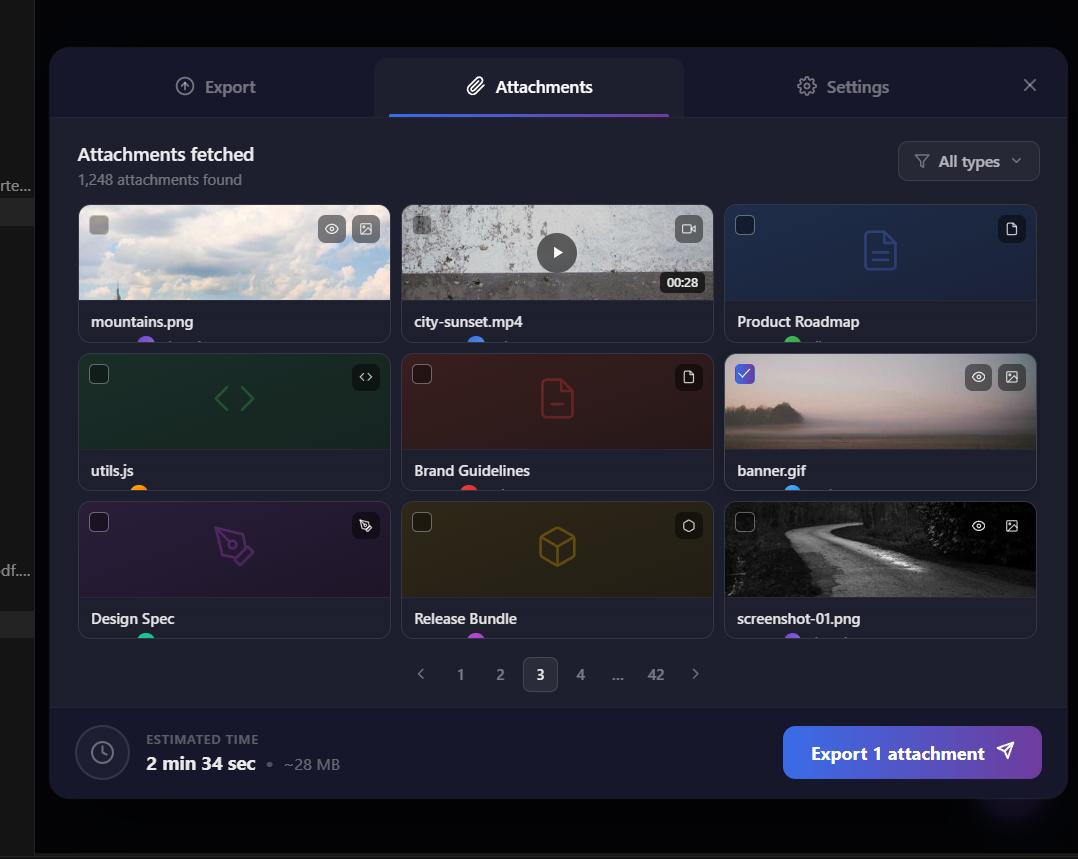
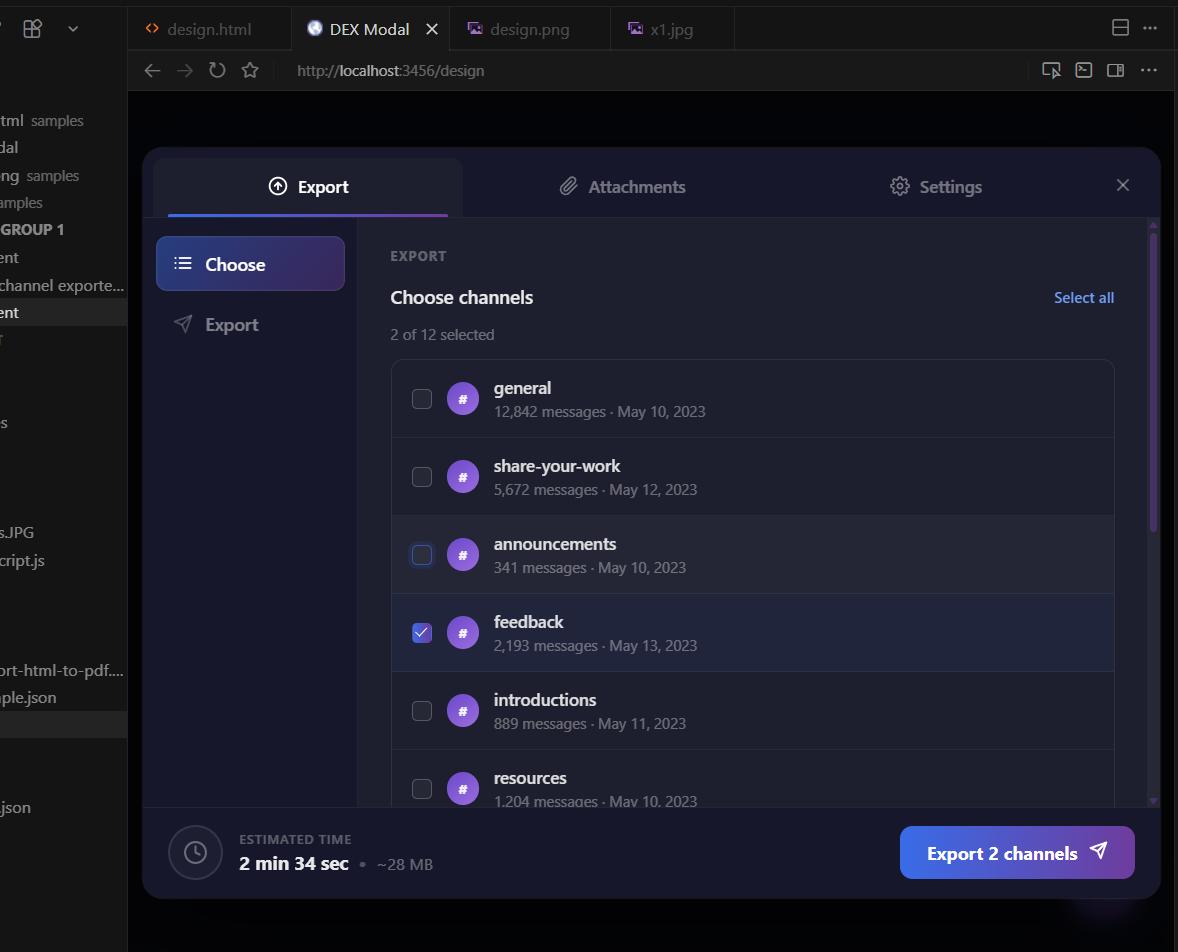
Content script is working well and attachments are fixed.
Not an identical copy of the original design, but good enough to ship.
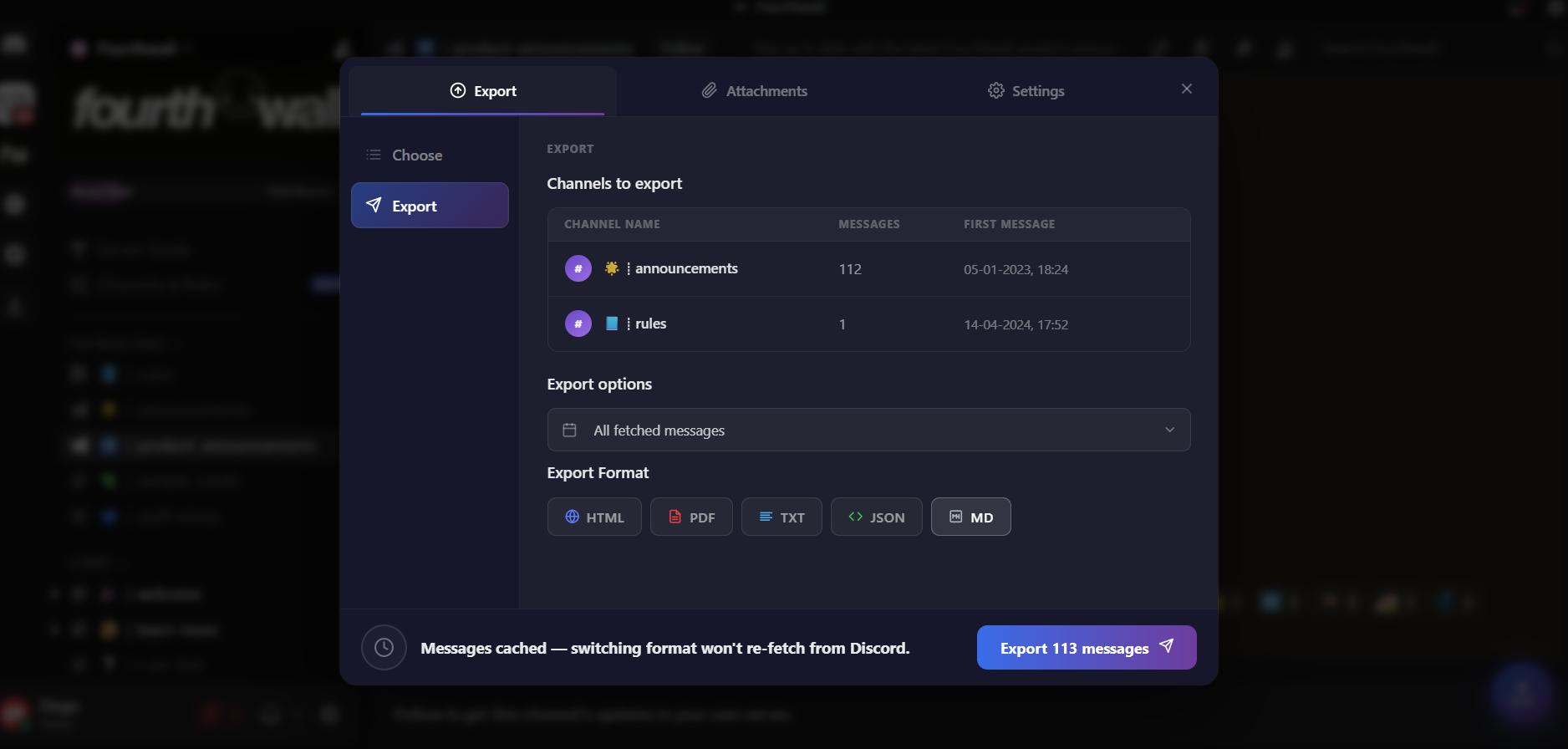
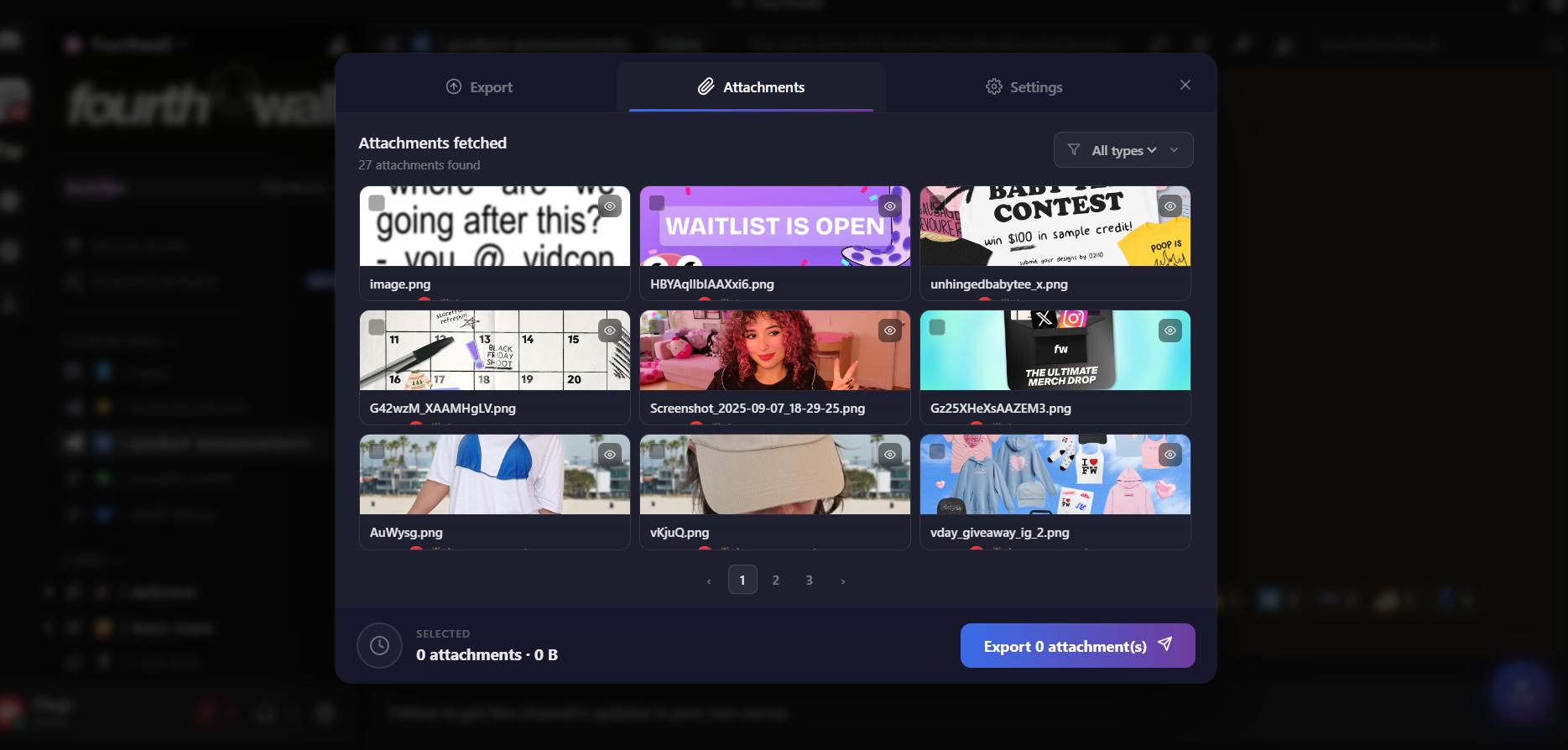
Final Features Before Publishing
At this point we're pretty much ready for the Chrome Web Store. A few last things to wrap up.
Translation is implemented. Before creating the logo, I also want to add two more settings that Claude actually suggested during the UI design phase, and they turned out to be great ideas: an option to strip emojis and reactions from the export, and a control over which message types to include.
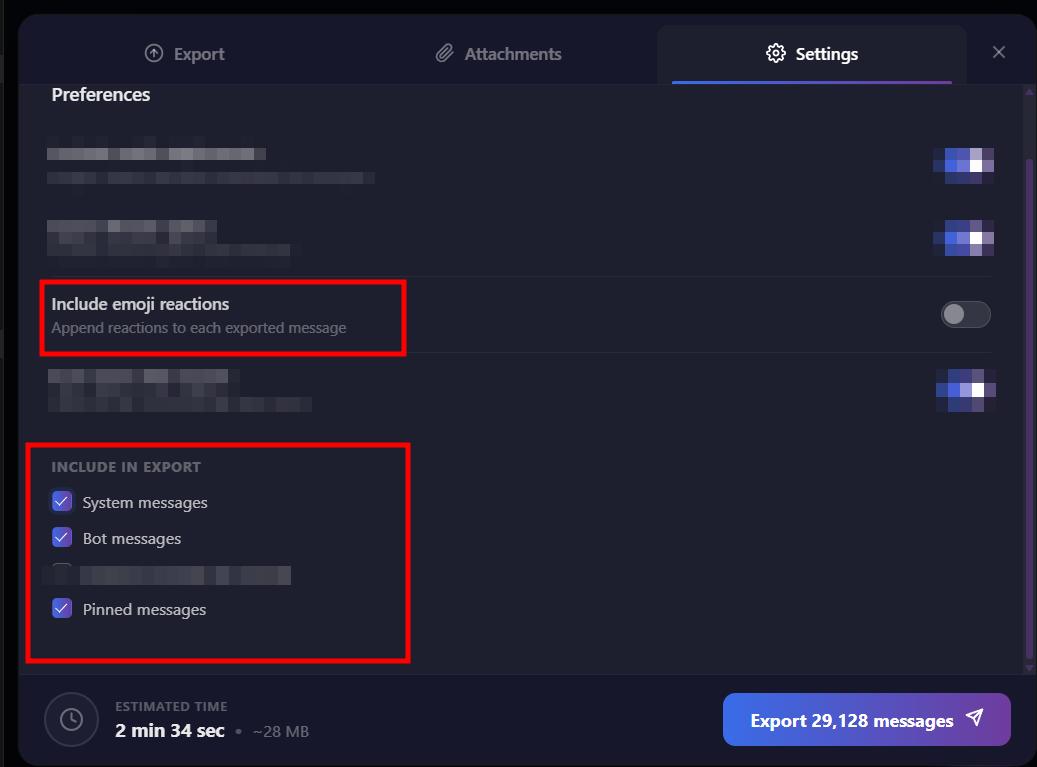
Testing the emoji export setting:
The last UX improvement is adding navigation arrows to the attachments carousel and enabling video playback directly inside the modal.
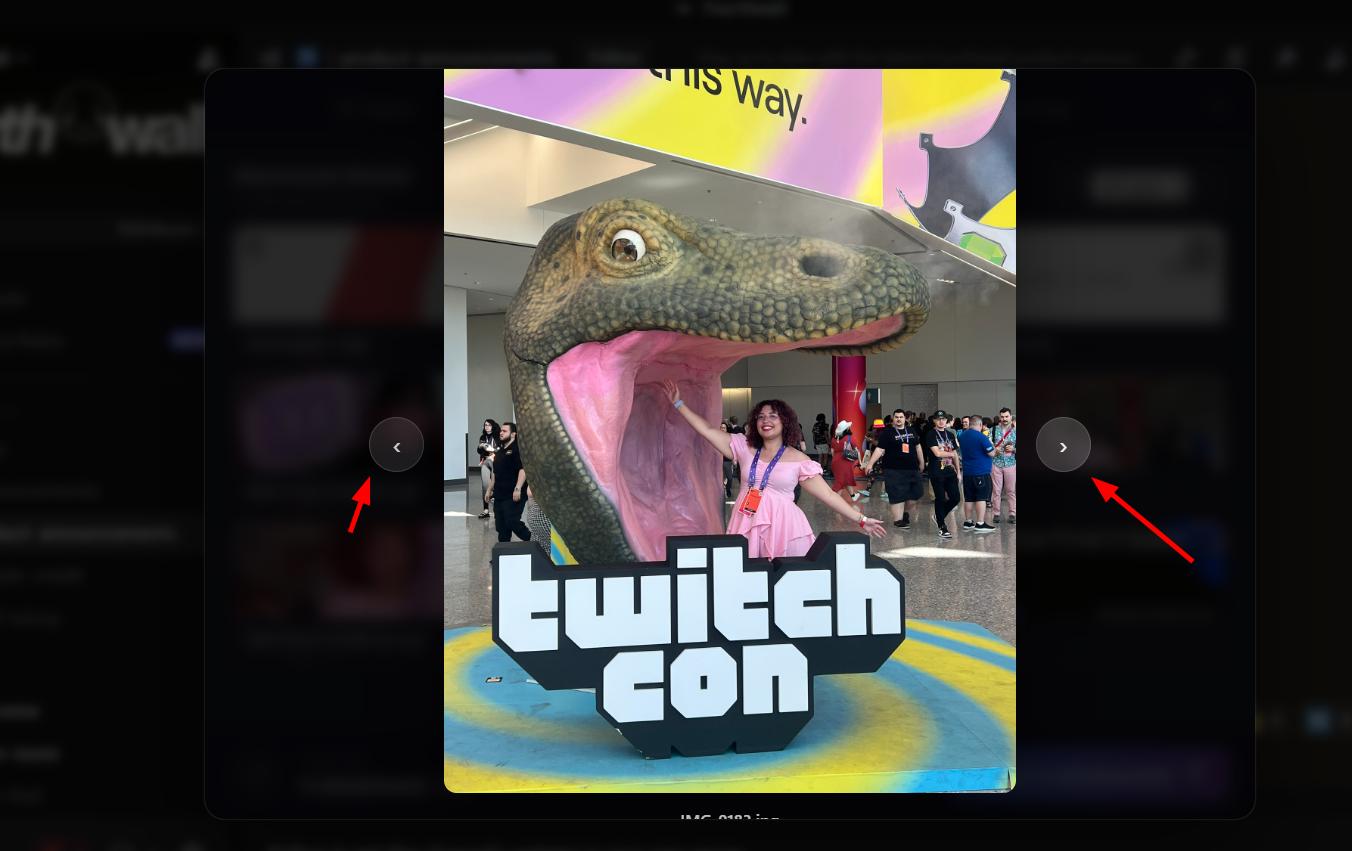
Logo, Donations, and Publishing
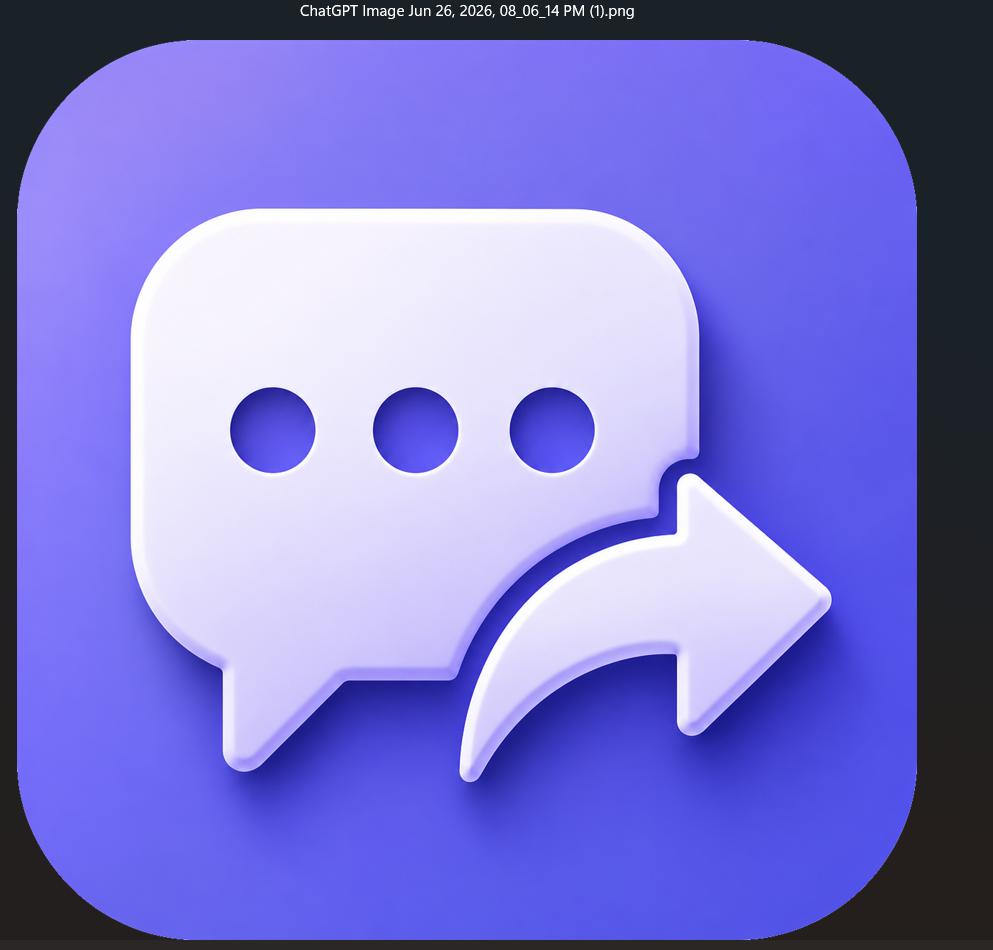
For the logo, I used this prompt in ChatGPT:
"let's create a new logo for my new chrome extension that exports discord messages. Use this chat icon and the export icon attached as reference. Unify both of them, make a creative blend. Use Discord's color palette, use gradient and shadows, keep it minimalist."
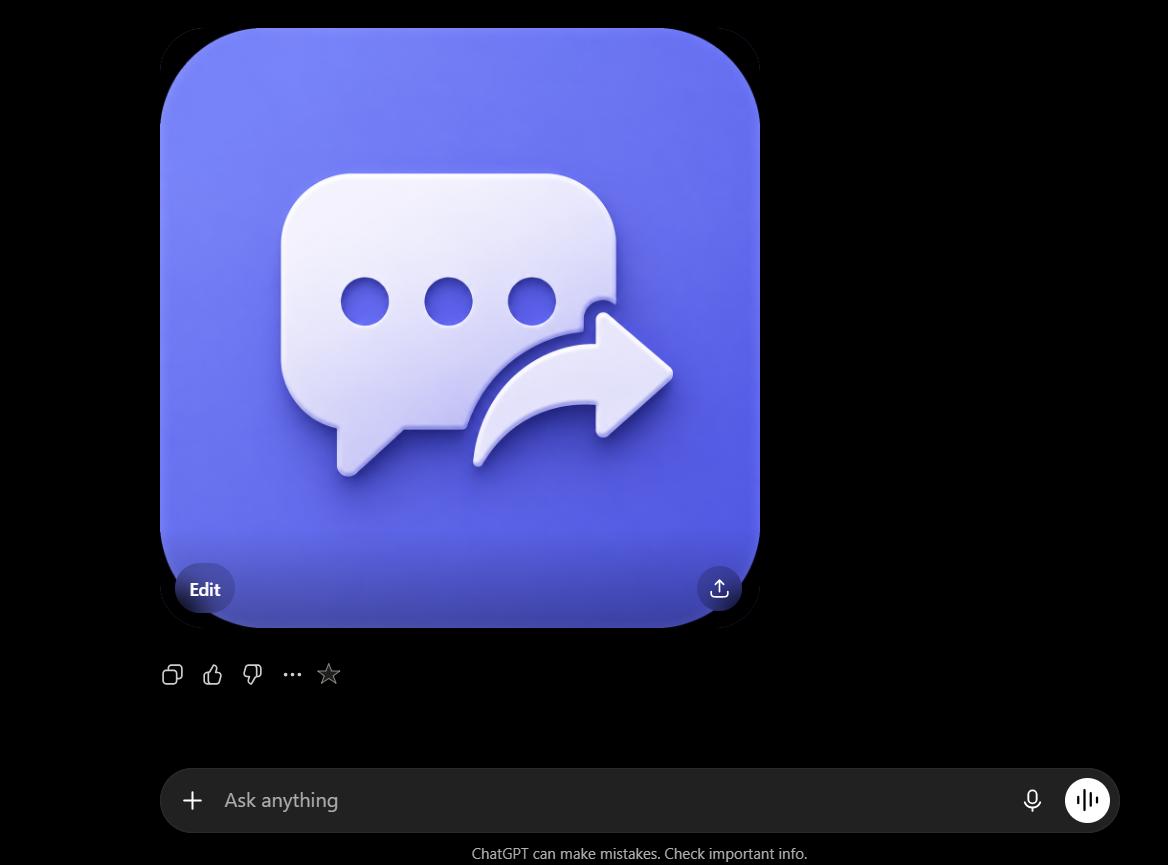

After removing the white borders, this is the final result.
After a few last bug fixes, the one remaining thing I wanted to add before publishing was a "Buy Me a Coffee" link. I've been reluctant about this for a while, but it seems like a reasonable strategy as long as it's kept subtle. From what I've gathered, placing a donation button on the settings page and triggering it after a few successful interactions (for example, after 5 successful exports) tends to help with conversions without being annoying.
Now let's get the permanent extension ID by uploading it to the Chrome Web Store as a draft and copying the public key.
Verifying the extension ID matches:
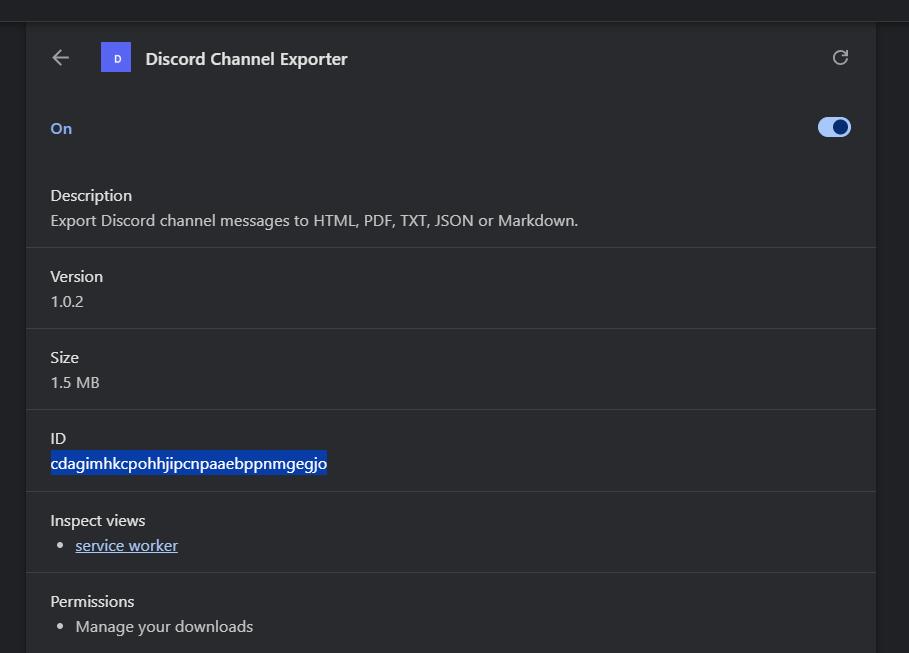
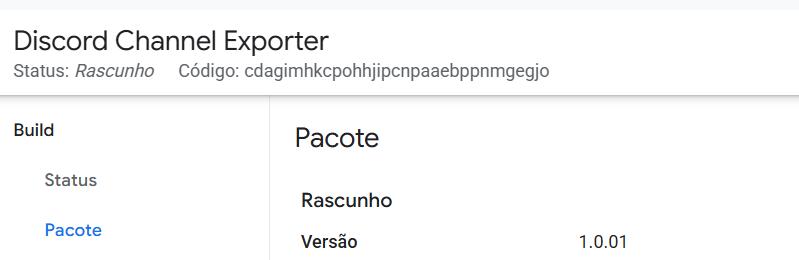
Logo updated in the extension successfully.
Published to the Web Store.
Wrapping Up
This one came together faster than I expected, mostly because the "hello world" phase went smoothly and the API was pretty clean once I figured out the token interception pattern. The design iteration took the most trial and error, honestly.
If you want to follow along with the full series, everything is documented at codedcitadel.com. The extension itself is live on the Chrome Web Store now. Feel free to try it out and let me know what you think.
What are you building?
More from the blog
Keep reading
12 Chrome Extensions Deployed Within 2 Months (Not AI Slop). All Data + My First Financially Successful Extension
I coded and published 12 extensions in 52 days and documented every single one - all my private data, the numbers, what I learned, and the story of my first financially successful Chrome extension.
I Made My First Sale in This Series! (Shopify Client Work, $1400)
How I landed a $1400 Shopify project, used AI to analyze competitors, built a custom product page with metafields, and shipped a full ecom store - all while using a Chrome extension I built myself to sync the theme in real time.
Twitter Blocked Me, I Moved to BlueSky, But It Had One Major Issue. So I Built a Chrome Extension to Fix It
How I got blocked by Twitter, ended up on Bluesky, scraped 13k Reddit comments to find a chrome extension idea, and shipped a free extension to hide reposts from specific accounts — all in one session.