
12 Chrome Extensions Deployed Within 2 Months (Not AI Slop). All Data + My First Financially Successful Extension
Key takeaways
- My most popular extensions were shared multiple times across many mediums (Reddit, etc). I don't think organic growth is very relevant in the first few months.
- Never use hosted code from CDNs - it will get your app rejected since it can count as remote code being injected.
- Most of my extensions took 24–48h to be reviewed and accepted, with the exception of the ones that required login. If your extension needs login, expect longer review times.
[this post was not written by AI]
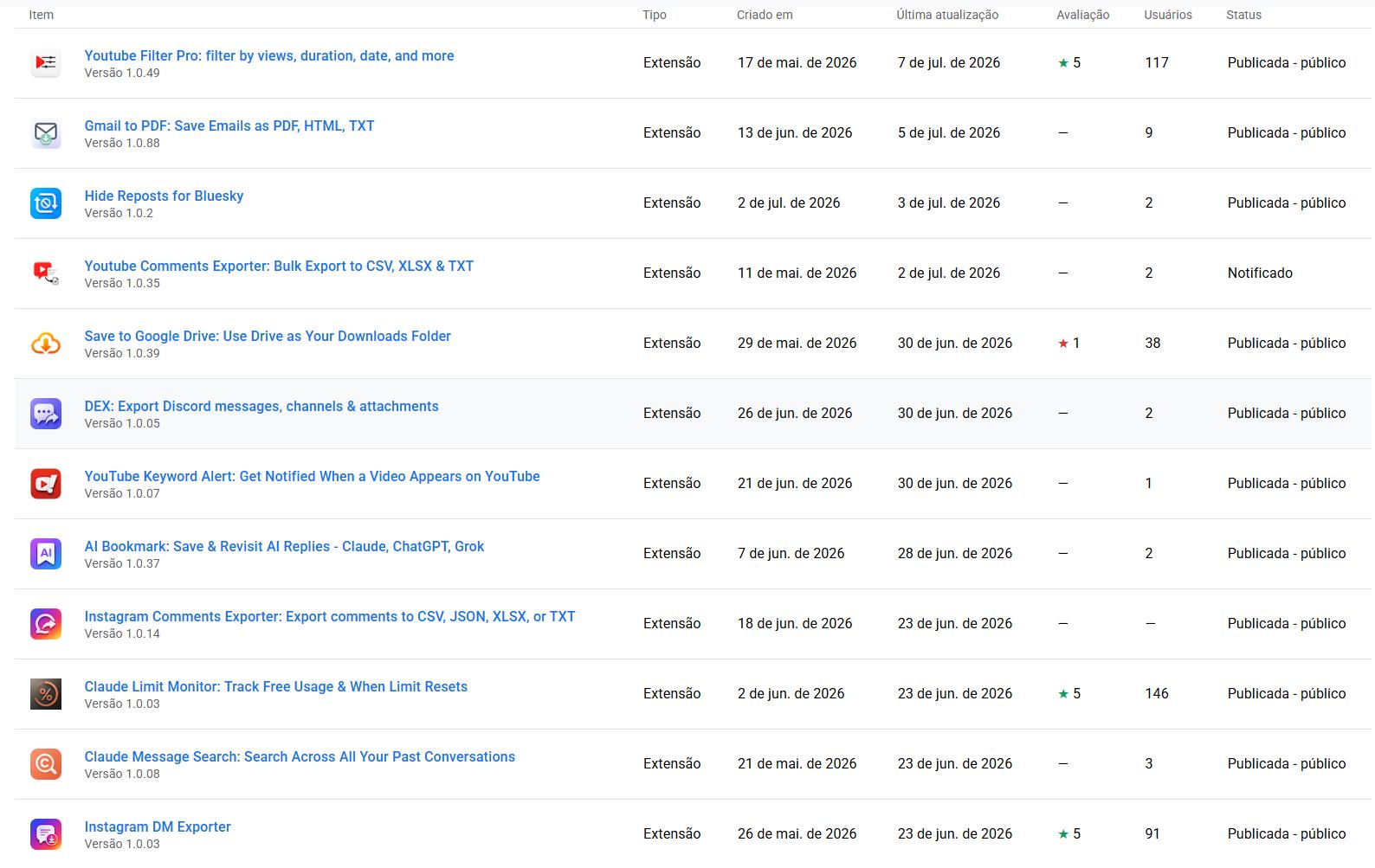
I have coded and published 12 extensions in 52 days.
I documented each and every one of them step by step on my blog and on YouTube, going from how I found the idea, how I validated it, the coding process, and publishing it live.
A bit of background
My journey with Chrome extensions started back in 2017, close to the time where I landed my first position as a senior front-end dev.
Back then I was coding mostly for my personal use. After a while, I decided to publicly publish my very first Chrome extension back in 2019.

There were a few bugs I couldn't completely handle back then, and the reviews started getting lower and lower, so I decided to let it go and focused on my career as a Shopify dev.
My first financial success with a Chrome extension
Back in 2020, almost one year later after my first published Chrome extension, I noticed a huge market gap for a specific Chrome extension. There was one competitor receiving multiple negative reviews due to a bug, so I decided to code an alternative.
I coded it and published it on October 31, 2020. I didn't think much of it.
For 8 months, I had less than 100 users. It didn't get real traction until April 2022, about a year and a half in, when active users jumped from ~1,400 to ~2,200 in just two weeks and kept climbing from there.
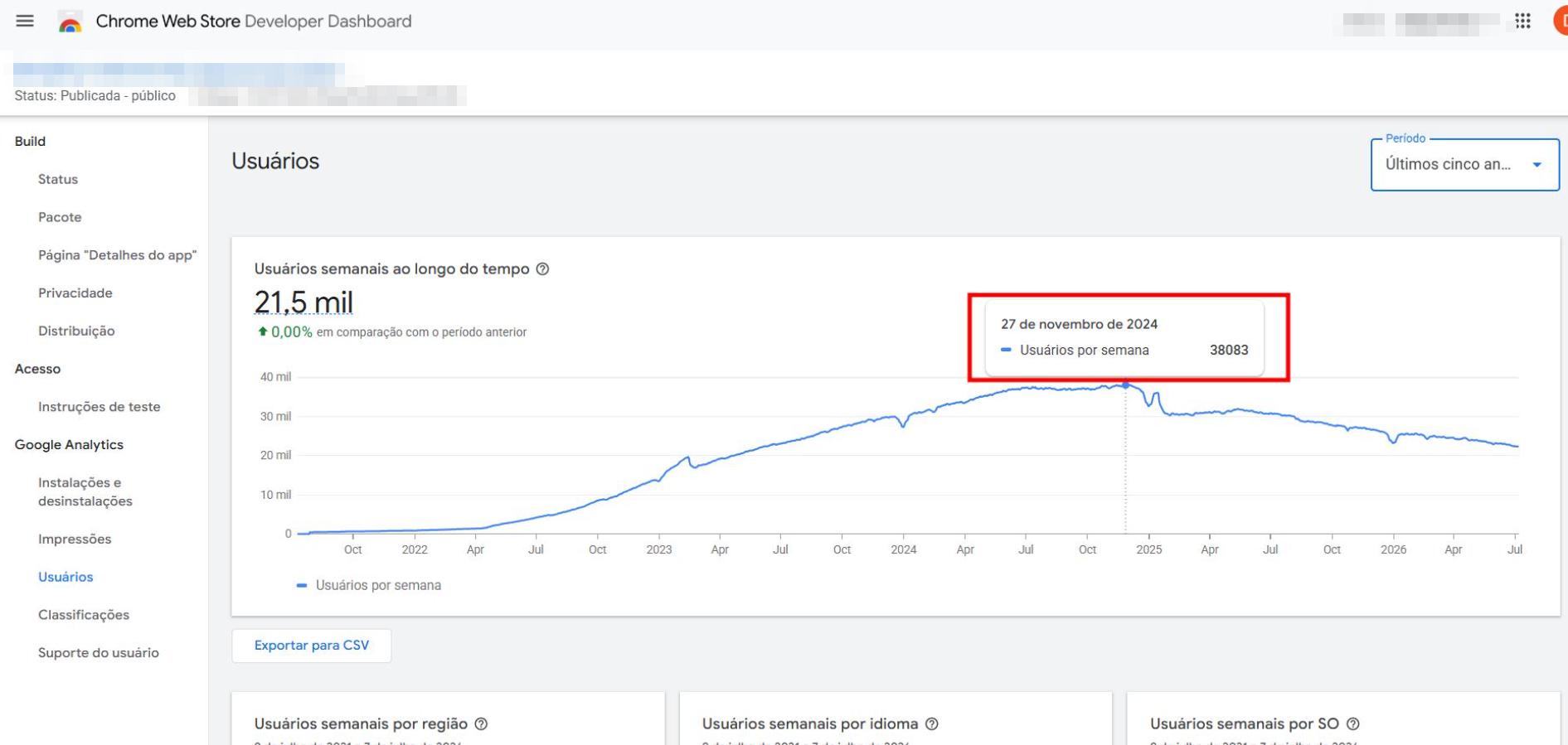
I was sharing this extension everywhere throughout the months, however, it became really popular after a few YouTubers made videos about it. Back then it was 100% free.
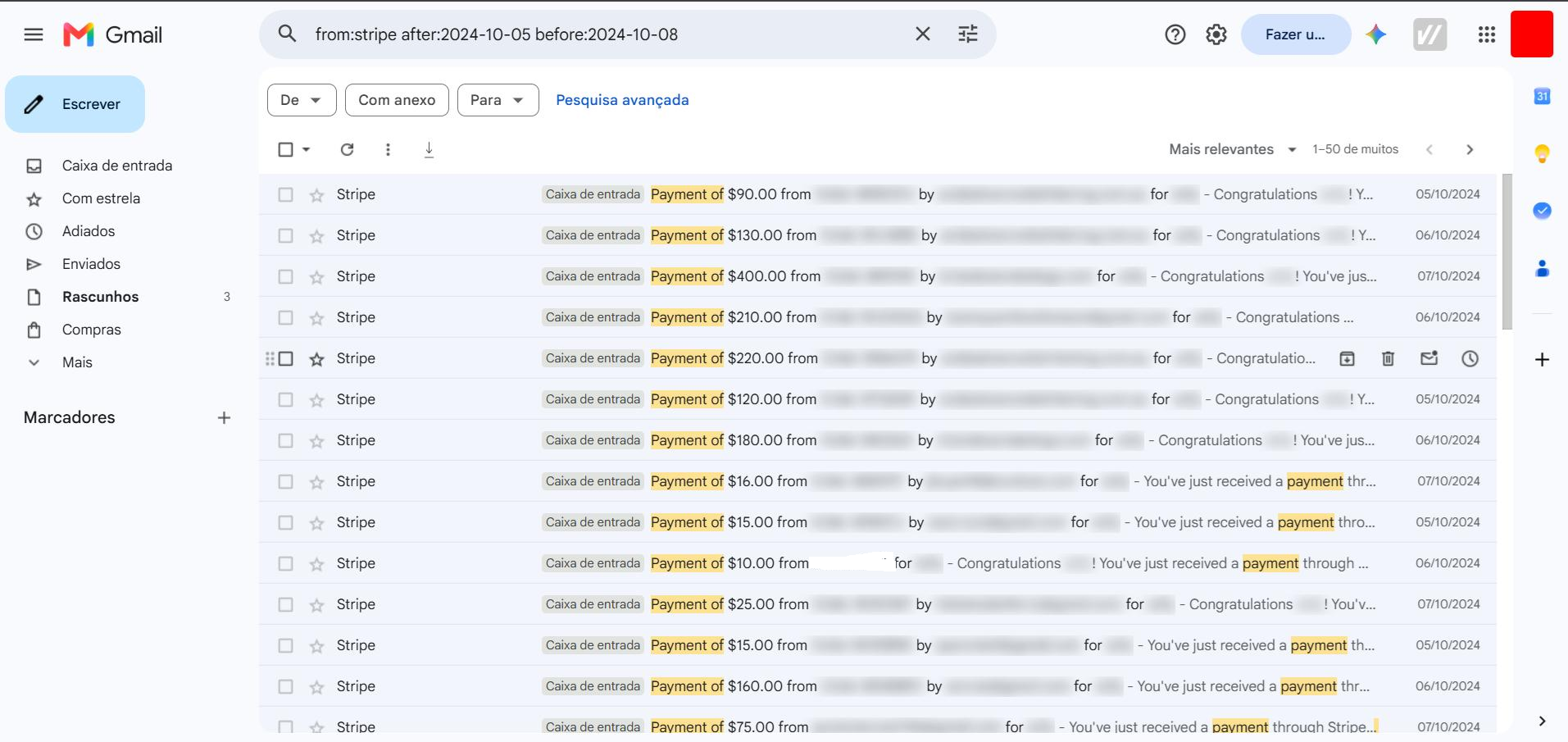
Once it became popular (around 10k users), I started studying how to implement monetization and, even though some users weren't happy with it and I had to manage everyone's expectations, it was still profitable: average of $2k~ USD/monthly of profit.
The payment system was "per-credit." There were no monthly subscriptions, but there was a one lifetime fee for $400 USD, sold around once per week.
Before that inflection point, growth was slow and linear: it took until January 2022 to break 1,000 active users, and November 2022 to hit 10,000 (almost 2 years).
The extension crossed 38,000 active users on November 13, 2024, roughly 4 years after launch. It peaked shortly after, around 38,500 users in late November 2024, then entered a slow decline, sitting at ~22,300 as of July 2026.
Nowadays, after recent updates in the platform that my Chrome extension was coded for, and my extension became obsolete. It's essentially useless, unfortunately.
And this is what led me to my current path.
Trying to replicate it in 2026
Is it possible to replicate this in 2026? I do think so, but I must be honest: With the rise of AI, I believe the time is running out. And I don't think that through Chrome extensions alone.
I heard someone say that "if you have a loyal following you can monetize anything", and I'd say that this may be one of the very few ways to monetize extensions nowadays. Natural growth can still happen, but it's extremely unlikely, at least as far as I can tell.
The two main difficulties I see nowadays:
- Noise. There is a lot of vibecoded things with dubious quality and immediate paywalls. This makes users become more resistant to even try extensions.
- Uncertainty. Back then you had to watch out for competitors copying your code, now AI has the potential to make anything obsolete with every new release.
Either way, I'm willing to bite the bullet and test how difficult it really is, and that is why I coded 12 extensions.
The extensions I coded + my strategy
I view these extensions kind of like seeds: I don't expect any of them to sprout any time soon. I'm planting them, and expecting something to happen only in the months to come.
With that being said, when creating each extension, I avoided as much as possible going down the "weather app" route of Chrome extensions and focused on building things that could be legitimately useful.
I firmly believe that most of the extensions I coded are valuable to, at least, a small group of people. But whether they will come across these extensions is a different story.
I won't go too much in depth here about how I found and validated the ideas, but you can read the individual blog posts if you're interested, where I cover everything in details. Long story short: I relied a lot on scraping Reddit, Instagram and YouTube comments.
I'd scrape hundreds of comments within specific niches and send it to Claude to find frequent complaints and what could potentially be turned into an extension.
Here's everything I coded:
YouTube Comments Exporter (Chrome Web Store) - bulk export YouTube video and playlist comments to CSV, XLSX, JSON, or TXT. Built for product research and AI analysis, scrape comments from individual videos or entire playlists and send them to Claude or ChatGPT to uncover real user pain points and app ideas. Free, minimal setup.
YouTube Filter Pro (Chrome Web Store) - filter YouTube search results in real time by video duration, view count, publish date, channel size, and title keywords. Irrelevant videos are hidden or faded as results load while you scroll. Settings sync across Chrome sessions automatically. Ideal for research, content curation, and finding niche videos that match exact criteria.
Claude Message Search (Chrome Web Store) - full-text search across all your Claude.ai conversations from one place. Find old answers buried in chat history without scrolling through dozens of titles. Runs entirely locally in your browser, no servers, no data sent anywhere. Trigger via toolbar button or Ctrl+Shift+F. Free, fast, fully private.
Instagram DM Exporter (Chrome Web Store) - export any Instagram direct message conversation to HTML, TXT, or JSON in one click. No API key needed, works from your logged-in session by reverse-engineering Instagram's internal API. Handles long conversations with pagination. Export continues in the background after you close the popup. Free.
Save to Google Drive (Chrome Web Store) - save any file download directly to Google Drive instead of your local downloads folder. Right-click links or use the context menu to push files to drive with one click. OAuth-integrated with minimal permissions. Turns Google Drive into your browser's default download destination. Built and shipped in under eight hours.
Claude Limit Monitor (Chrome Web Store) - monitor your Claude.ai free-tier usage in real time. See how many messages remain and when your limit resets before Claude cuts you off mid-conversation. Reverse-engineers Claude's hidden usage API to display remaining allowance directly in the UI. Free, no extra login required.
AI Bookmark (Chrome Web Store) - bookmark specific AI replies from Claude, ChatGPT, and Grok and manage them in one place. Save great answers without losing them in long chat threads. Synced library with search and organization across all three platforms from a single extension. Google login via Supabase. The most complex extension in the series so far.
Gmail to PDF (Chrome Web Store) - bulk export Gmail emails as PDF, HTML, TXT, or JSON, including images and attachments bundled as a zip. No third-party login, minimal permissions, no permanent buttons injected into Gmail's UI. Export single or multiple emails from the toolbar. History tab tracks your last 100 exports. Privacy-first alternative to broken extensions.
Instagram Comments Exporter (Chrome Web Store) - extract every comment on Instagram posts and reels, including nested replies, to CSV, JSON, XLSX, or TXT. Pause and resume long extractions. Native-feeling UI cloned from Instagram's design. Handles GIFs and proper date formatting. Rebuilt from scratch after existing tools broke on long sessions. Free.
YouTube Keyword Alert (Chrome Web Store) - get notified the moment a new YouTube video matching your keyword filters is uploaded, without opening YouTube. Set keyword rules and receive alerts when fresh content appears. Built for creators, researchers, and anyone tracking niche topics. Lightweight, background monitoring. Free.
Dex (Chrome Web Store) - export Discord messages, channels, DMs, and attachments to HTML, PDF, TXT, JSON, or markdown. Choose channels, date ranges, or recent messages. Preview and download attachments separately. Floating in-app UI integrates with Discord's design. Bulk export for servers, group chats, or one-on-one conversations. Free.
Hide Reposts for Bluesky (Chrome Web Store) - hide reposts from your Bluesky following timeline with one click, no page reload, no unfollowing. Pick which accounts to filter with per-account checkboxes, search, and pagination. Original posts always stay visible, only reshares get hidden. Stats track reposts hidden over time. Multi-language support.
My numbers and conclusions
From the beginning of this "challenge", I committed to sharing every number publicly.
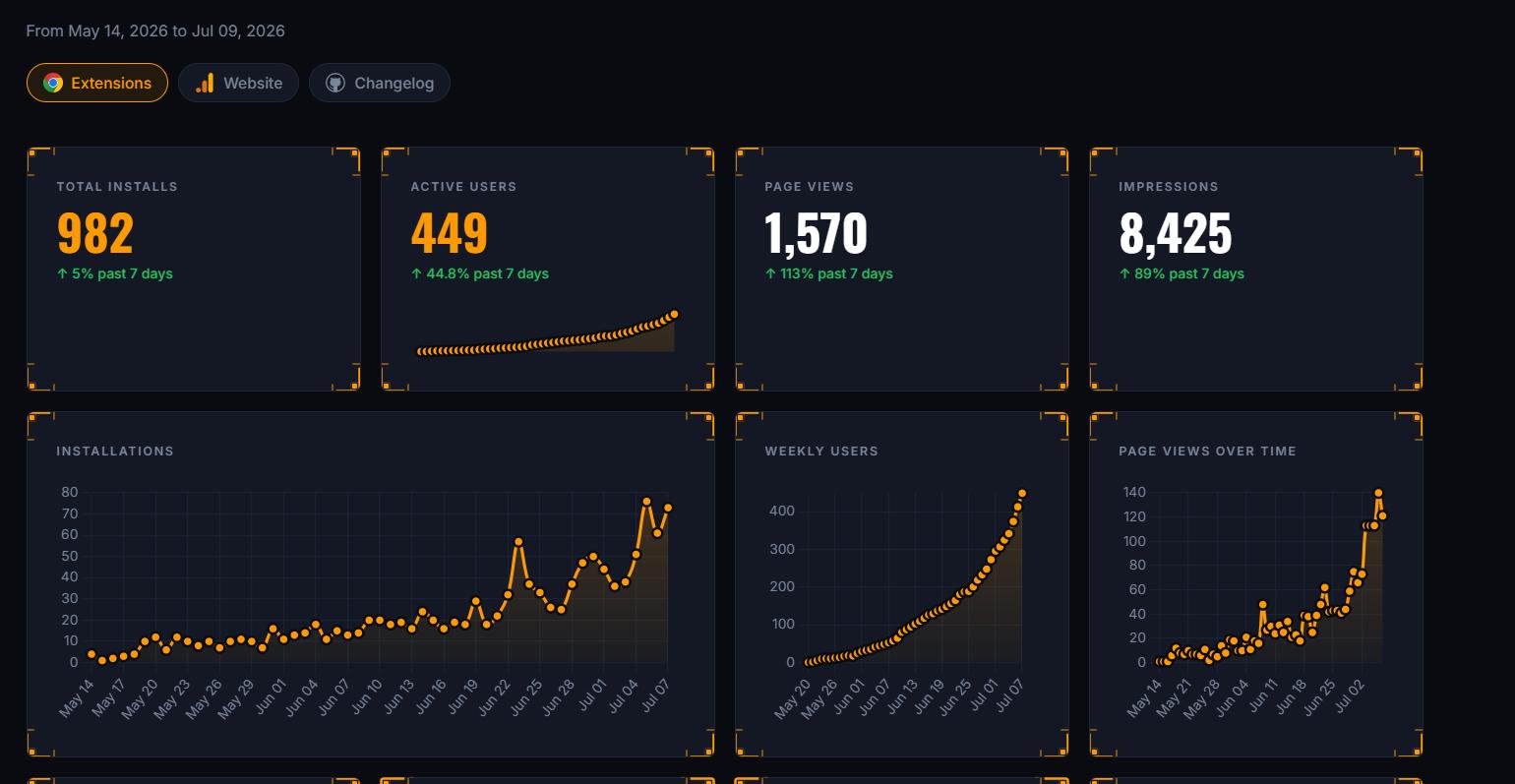
I'm manually scraping all of my Chrome extensions + Google Anaytics data and updating it on my website. At the time of this post:
- 982 gross installs across 12 extensions (~55 days of tracking)
- 449 active users (46% of gross installs)
- 254 uninstalls - YouTube Filter Pro has the highest churn at ~43%; Claude Limit Monitor retains best at ~73%
- Claude Limit Monitor and YouTube Filter Pro each account for 47% of all installs and 65% of active users
- Last 7 days: 379 new installs vs 255 the week before (+49%)
- $0 revenue - all extensions are free; but all extensions are free on purpose. I have only added a "buy me a coffee" link.
Everything I learned so Far
- My fastest growing extension (Claude Limit Monitor) is open source, and that is probably why it's growing so fast.
- Request reviews/feedback after a few successful actions. For example, let's say you have a "website to PDF" export. Once the user successfully exports 4 or 5 times successfully, show a small modal with a "thank you for using, please review it helps" type message.
- I heard that making extensions in multiple languages can help increase visibility. So I made most of them in 8 languages. So far, I haven't seen any major improvements.
- Always add a "thank you" and "uninstall" page that lead back to your landing page, on extension install and uninstall, respectively. For the thank you page, add a short tutorial teaching the user how to use your extension. For the uninstall page, add a way to collect feedback on why they uninstalled. Make it super quick and simple. I later wrote about how I optimized that uninstall page and jumped from ~3% to ~34% feedback rate.
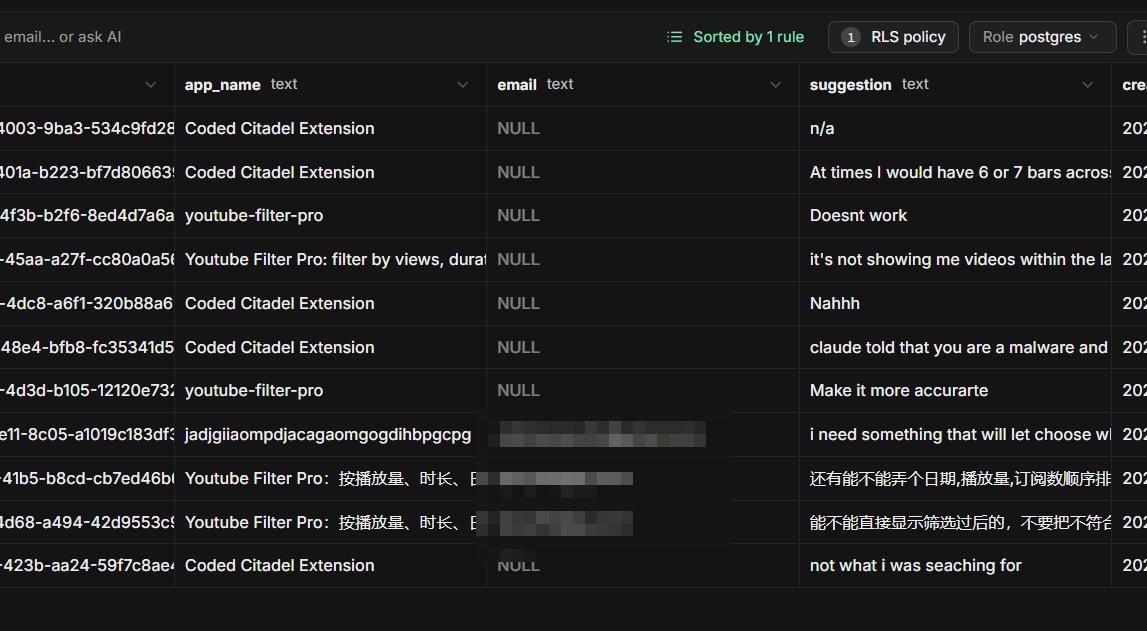
- Use "key" for manifest.json to keep your same id. This makes things easier especially if you plan to implement OAuth or a backend.
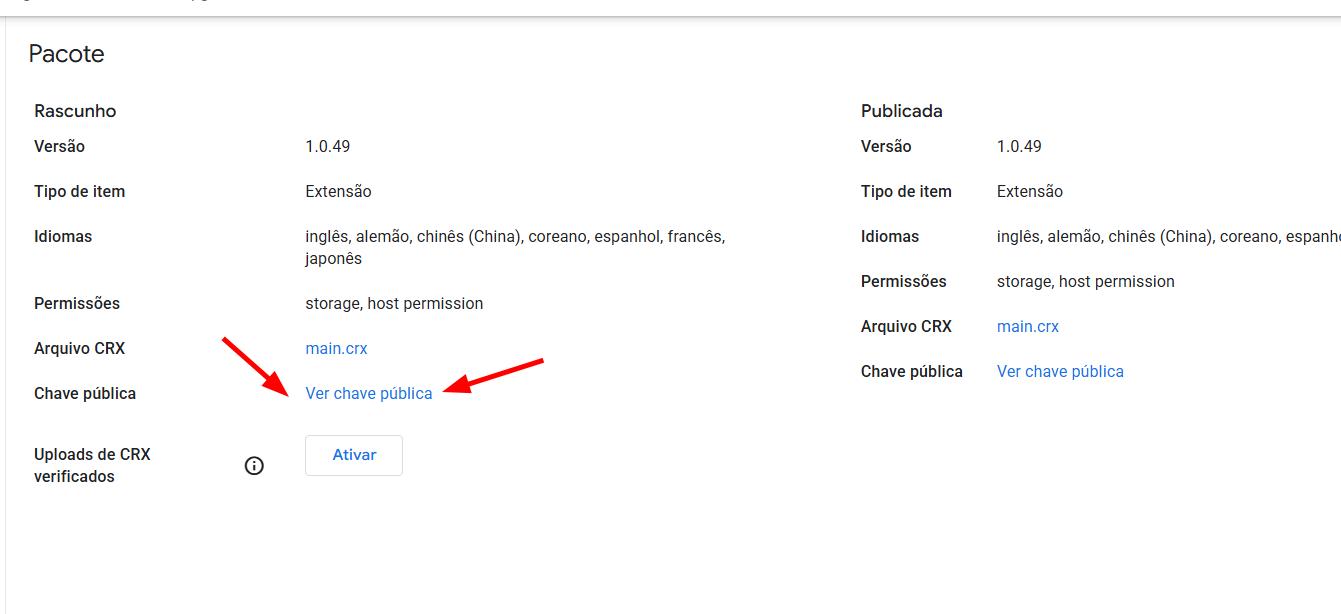
- When you add the "key" to manifest.json, beware that the .zip you send to the Chrome web store can't have the key in it, but your local build does. To handle that I have a custom
run-and-build.batfile. It runsnpm run build, checksdist/, strips the dev key from manifest.json viastrip-manifest-key.mjs, then zipsdist/intozipped/{version}__{timestamp}.zipfor store upload. - Beware of your permissions. Add only what is absolutely necessary.
- If you decide to mass-build, bear in mind you will need to update your extensions frequently.
- I firmly believe that AI extensions is where it's at. In my opinion, if you plan to build Chrome extensions, focus on the AI market and/or implementing features that use AI.
- Trust is a big issue nowadays, understandably so. From what I've seen, many people think your extension is either going to have a surprise paywall at some point or have some type of malware.
More from the blog
Keep reading

I Made My First Sale in This Series! (Shopify Client Work, $1400)
How I landed a $1400 Shopify project, used AI to analyze competitors, built a custom product page with metafields, and shipped a full ecom store - all while using a Chrome extension I built myself to sync the theme in real time.
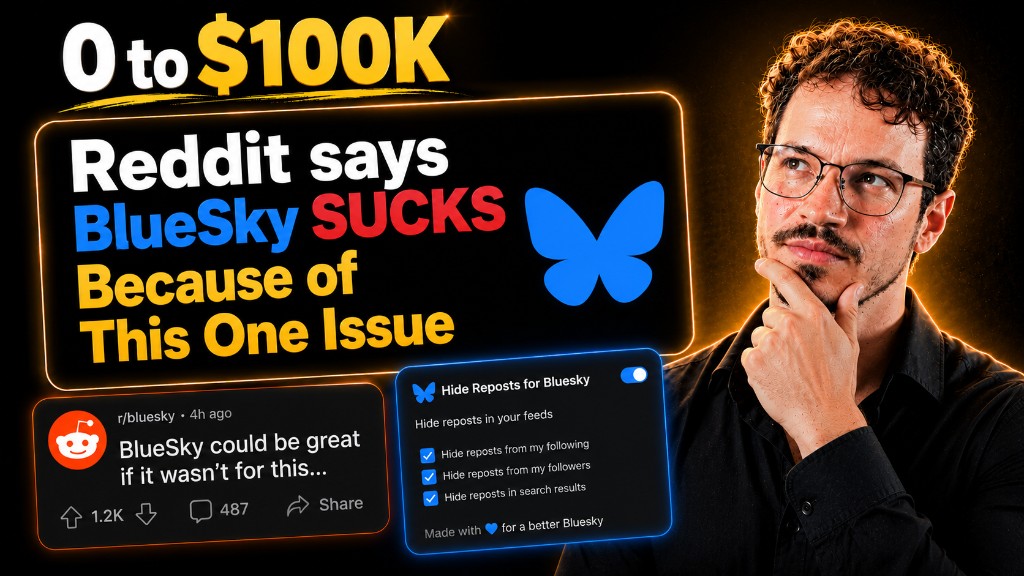
Twitter Blocked Me, I Moved to BlueSky, But It Had One Major Issue. So I Built a Chrome Extension to Fix It
How I got blocked by Twitter, ended up on Bluesky, scraped 13k Reddit comments to find a chrome extension idea, and shipped a free extension to hide reposts from specific accounts — all in one session.
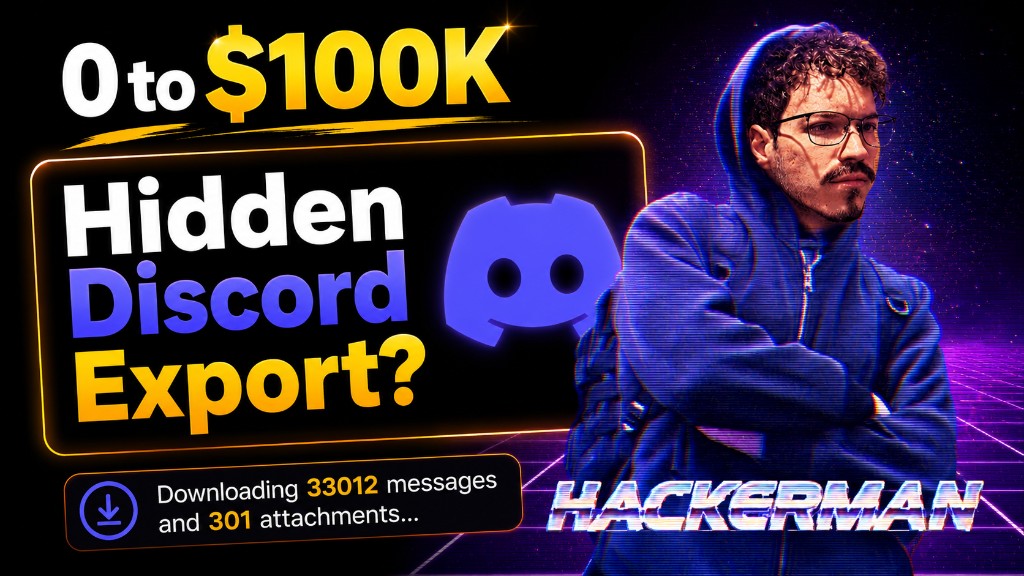
I "Hacked" Discord's API to Download All Messages & Attachments (And Made a FREE Chrome Extension For This)
How I built a Chrome extension to export Discord messages by channel, reverse-engineering Discord's internal API, intercepting auth tokens from network requests, and shipping a full UI with HTML, PDF, CSV and JSON export. Full build diary from a $0 to $100K Chrome extension journey.