
Instagram Could BAN This Chrome Extension That I coded
Key takeaways
- Mock the UI in ChatGPT, ask Claude to code it pixel perfect. I always stress attention to detail and UX and it makes a real difference.
- Social media DOM breaks constantly. I'd stick to tags and roles over class names or IDs.
- When reverse engineering, open the Network tab and actually use the site. Scrolling through comments is what exposed the on-demand API calls.
Social media tools may sound straightforward. And they are, until the DOM changes something. And these changes happen frequently.
I learned that the hard way back in 2022, when I spent six months on a private scraper that eventually got every burner account and proxy I owned blacklisted.
The project that I'm gonna share in today's post is almost a sequel to that era: a proper Chrome extension that exports post comments to CSV, with pause/resume, Giphy replies, and a UI that actually looks like Instagram, and that won't get users blacklisted - even though the extension itself is in considerable risk, since Mark is not really a fan of scrapers.
This extension follows the same reverse-engineering playbook I used for the Instagram DM Exporter — open the Network tab, find the API, prove it in the console, then wrap it in an extension.
Let's get into the details of it!
Why Instagram tools are fun until they aren't
So, yeah, back in 2022, I built a fairly complex Instagram scraper: it would automatically like, follow, unfollow, DM... I'm not proud to admit that I got many burner accounts and proxies blocked in the process, but it was a great learning experience.
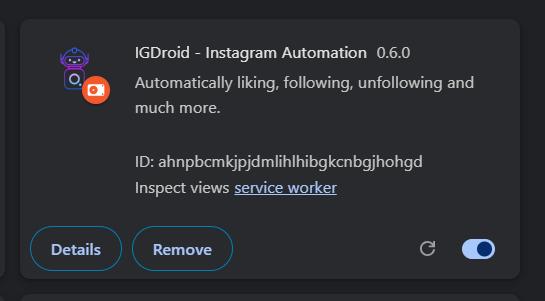
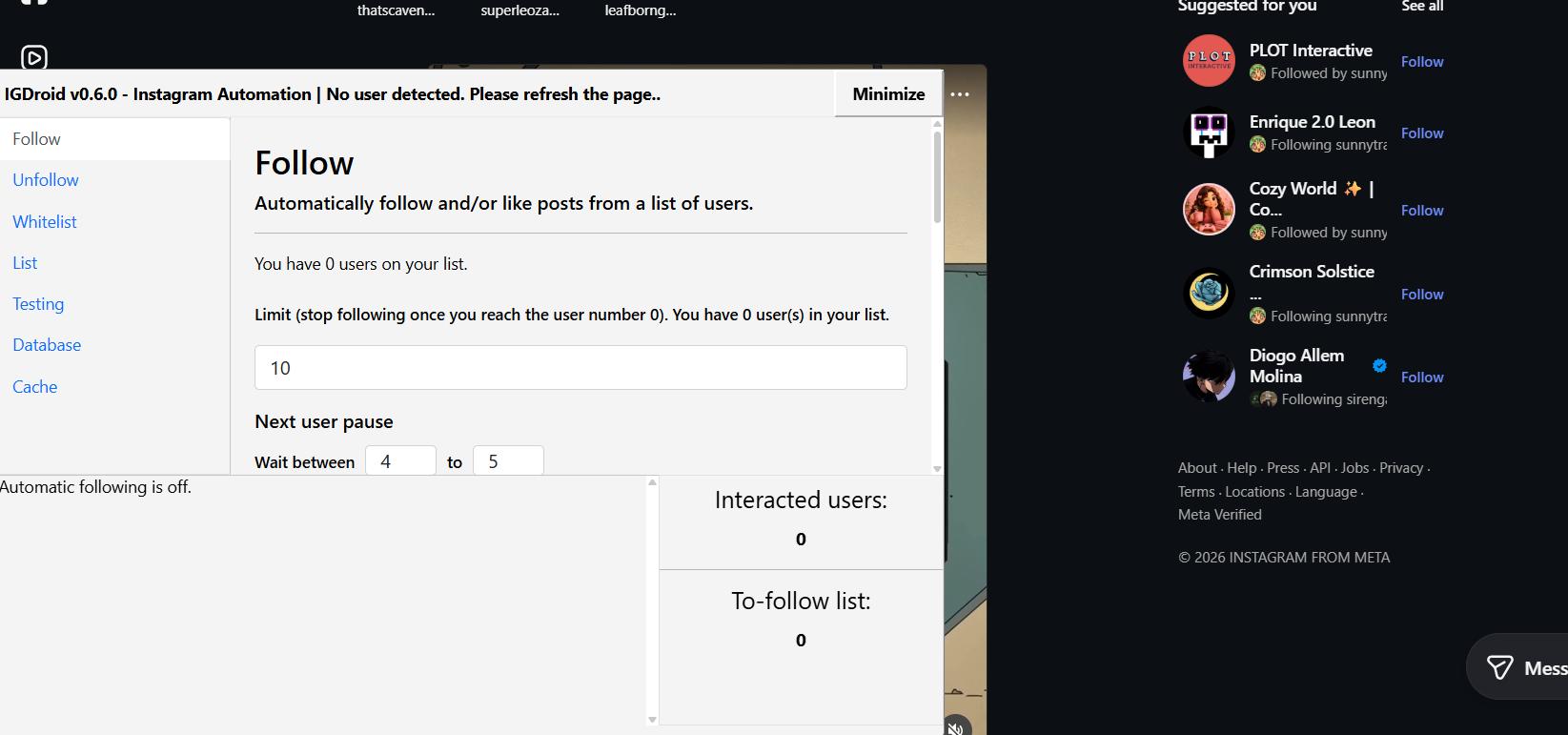
As you can tell by the "no user detected" error, it no longer works — but it was genuinely useful at the time.
It took me roughly six months to complete, coding at least an hour a day. It was one of the projects I had the most fun building. It became obsolete within months, though: every two to three months Instagram's security would tighten, the DOM would change, things would break, and I simply didn't have the bandwidth to keep up with updates.
I built it purely for personal use — to fetch and study competitor data for my previous business. I never published it.
Either way, that project taught me that building tools for social media is tricky, but really rewarding.
The $100K challenge and my hesitation
During this challenge, we've already built one Instagram tool: the Instagram DM Exporter.
I wanted to build a few more, but I wasn't sure whether it would be worth the long-term investment, given how quickly these things break.
That is the honest tradeoff with any export Instagram comments project: you are building on someone else's platform, and they don't owe you a stable API.
Finding an Instagram comments exporter that still works
During research over the past few days, I came across a solid "Instagram comments exporter" extension that appears to have worked reliably for years.
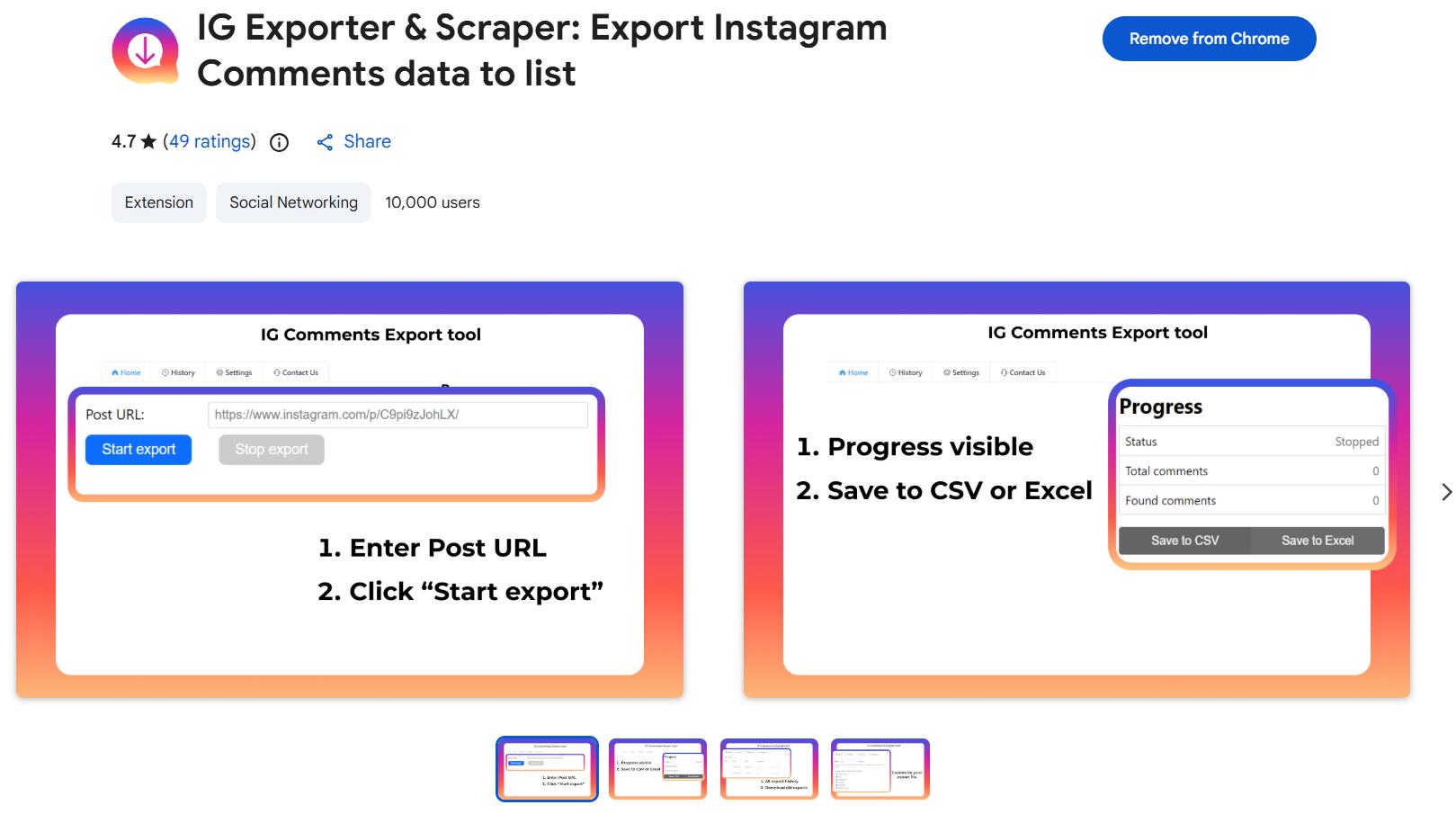
Despite a recent update in March 2026, it seems somewhat abandoned. It has strong reviews for a free tool, and the two main complaints are:
- It sometimes gets stuck without giving the user any warning.
- The date formatting is confusing.
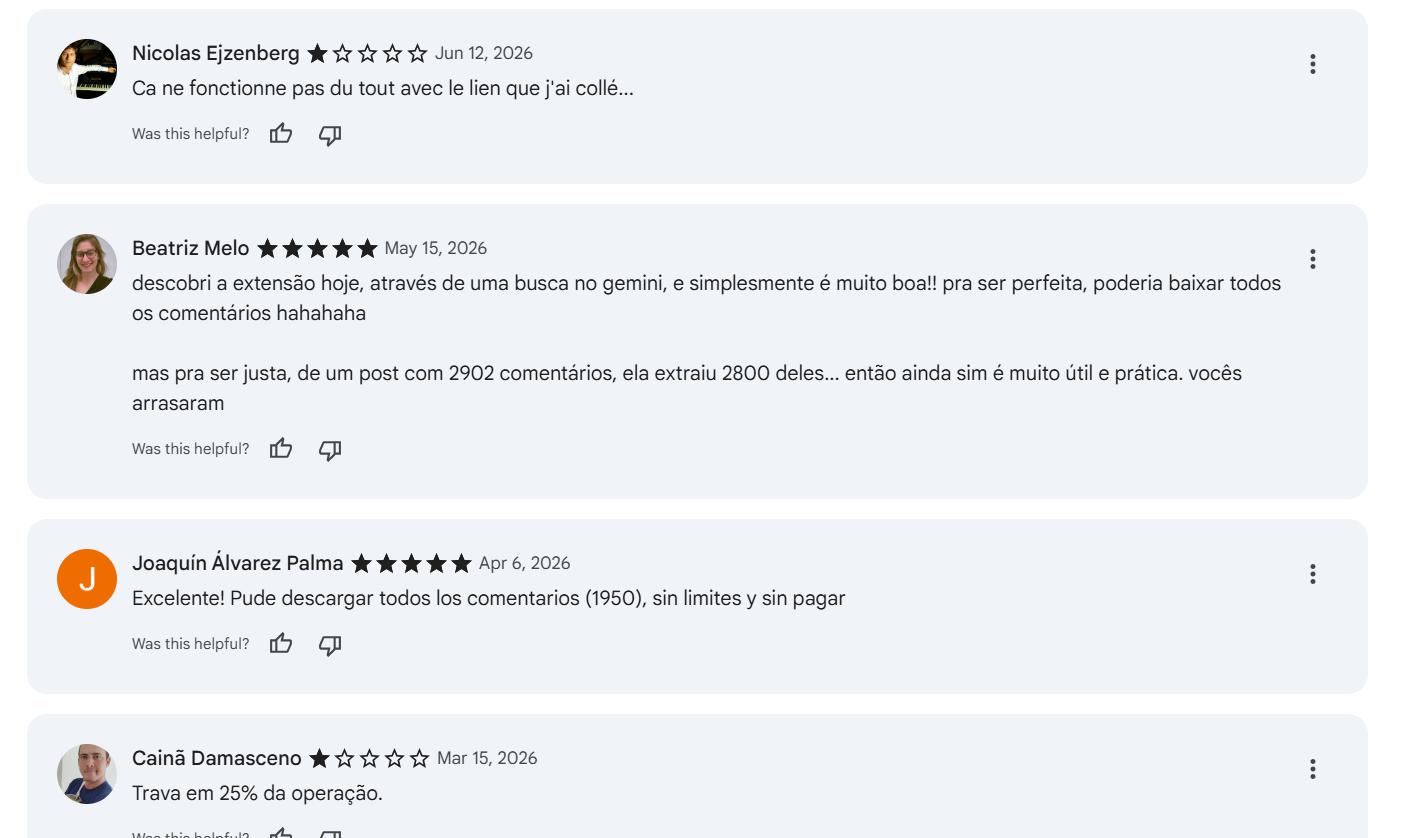
I tested it myself and it successfully fetched around 2,000 comments from a Reel — the date issue is real, though.
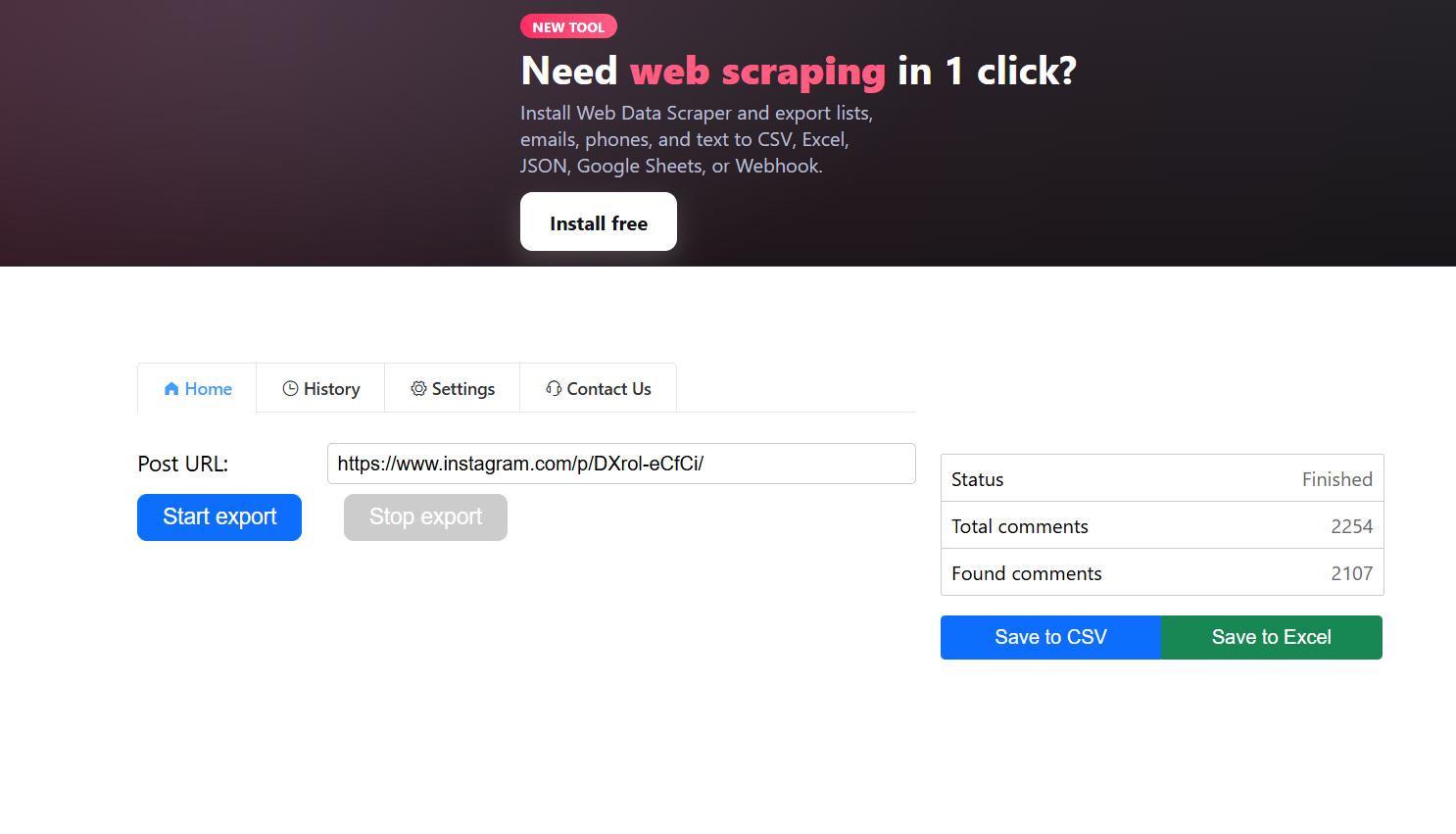
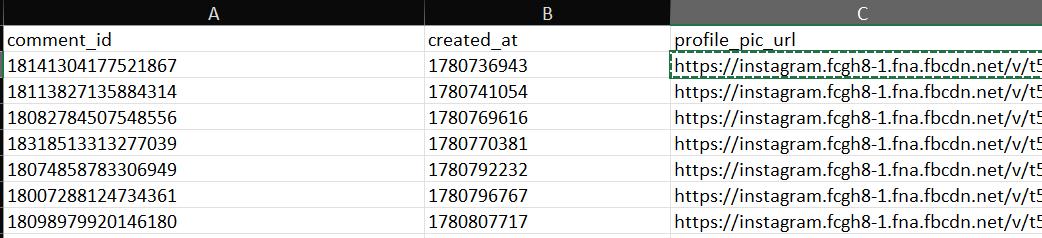
The UX is decent, but asking the user to re-enter the post URL is redundant — we could fill that field automatically.
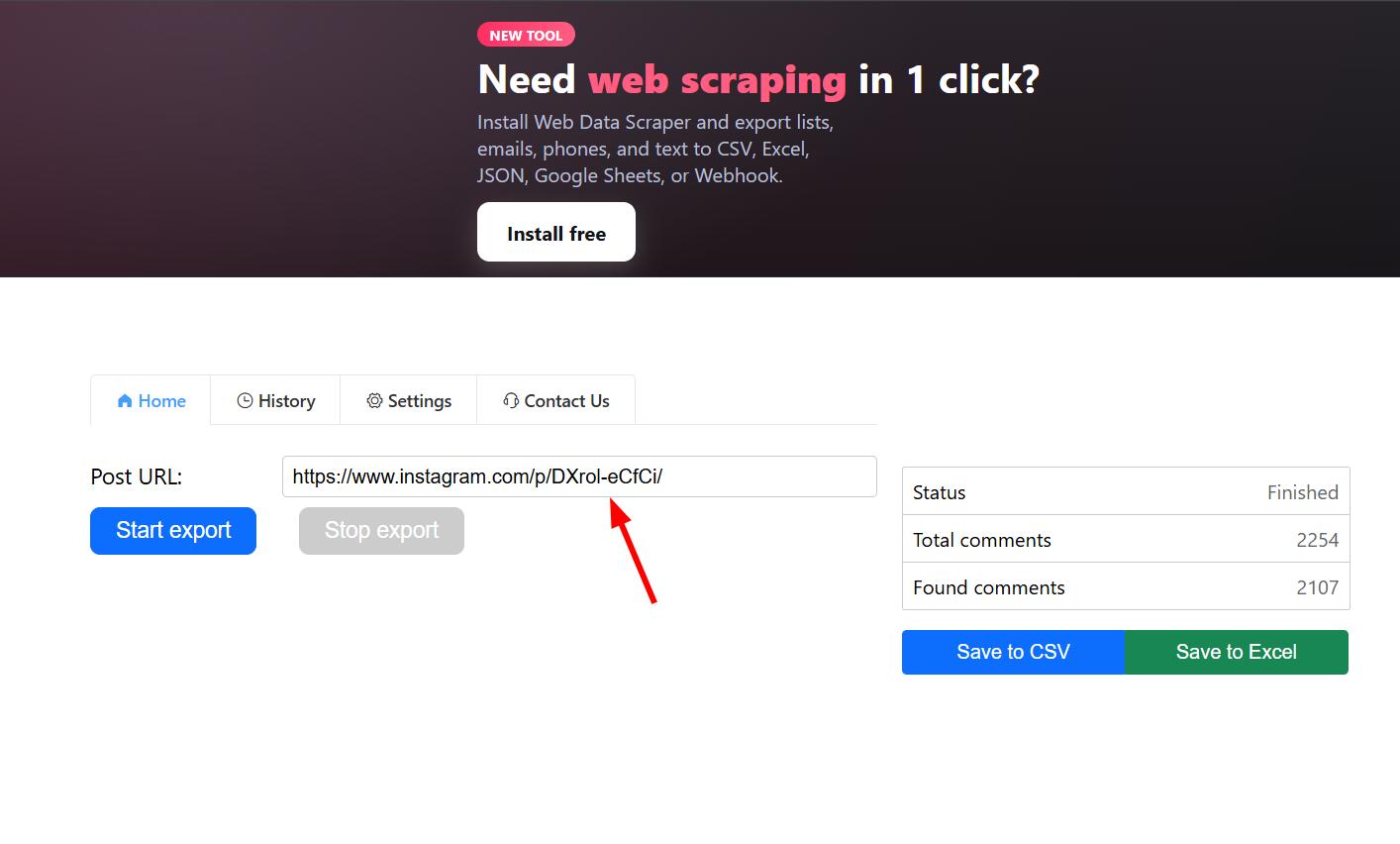
It also doesn't fetch GIF responses, which is something worth adding. For GIFs specifically, we'd need to download the images separately (perhaps in a .zip), since direct URLs are temporary — a lesson I learned back in 2022. For profile pictures, we'll start by storing the URL only; it's a reasonable MVP scope even if those URLs can also expire.
The AI angle (and why export-only might not be enough)
This also opens the door to an "Instagram comments AI analyze" feature, which would be compelling and relatively inexpensive to build with the Gemini Flash API or a similar model router.
The AI angle is clearly trending, and layering analysis on top of raw export could meaningfully differentiate the product. Our first project, the YouTube comments exporter, has zero users — which suggests that raw CSV export alone may not be enough of a hook. An AI-powered analysis layer might be what actually drives adoption.
Either way, let's get started.
Instagram comments exporter takeaway: A working competitor proves demand, but gaps — stuck exports, wrong dates, missing GIFs, redundant URL entry — are where a new Chrome extension can still win, especially if you add analysis on top of raw export later.
Hello world: reverse-engineering Instagram comment pagination
The first step is to open Instagram and observe how comments are fetched.
I used the same approach from previous episodes: open the Network tab, paste a piece of visible content, and try to find a matching object in the requests. And it worked:
The next question: are all comments loaded at once, or fetched on demand? Almost certainly the latter.
We can see that a GET request to the post's endpoint retrieves some comments — but probably not all.
Scrolling through the comments confirms this:
Additional comments trigger a different endpoint entirely:
https://www.instagram.com/api/graphql
So what's happening is: the first batch of comments loads with the post itself, and subsequent batches are fetched on demand as the user scrolls. This is the same pattern we saw in the Instagram DM Exporter.
The next step is to replicate that on-demand fetch. I copied the request headers...
...removed sensitive content (cookies, etc.), replaced it with dummy values, and sent it to Claude to generate a console script for fetching comments on demand.
It worked better than expected: everything fetched correctly. The script automatically pulls the user's cookie to extract the CSRF token and all other necessary values. On the first run, though, I was still getting the same batch of data despite knowing there was more available.
GraphQL vs query hash: picking the right endpoint
There are two endpoints in play: the graphql endpoint and a query hash endpoint. One returns more concise data; the other returns richer, more detailed responses.
For our purposes, the simpler endpoint would likely be sufficient — though it was worth investigating whether the richer one would complicate pagination. I forwarded everything to Claude and got a revised script.
That's when we hit the first bug of the project:
The script couldn't find the media ID. I moved from Claude to Cursor and provided the full page source as reference context.
After that, it was fetching complete data — but without looping yet.
At this point I also questioned whether fetching all available fields was overkill. Not everything returned is worth keeping. I gave it another 30 minutes or so; if pagination didn't work cleanly, I'd move on and simplify.
I sent the data back to Cursor and tried pagination again.
Pagination worked perfectly with the richer data. I then sent the response object to Claude to help decide which fields were actually worth keeping — some of what we were fetching was redundant, and some could eventually become part of a premium tier. For now, the priority was making the free export as useful as possible.
After some back-and-forth with Claude, I landed on a clear set of fields and updated the console script accordingly.
One final test confirmed everything working cleanly. Time to build the extension.
Building the Chrome extension: architecture and Instagram-native design
With pagination proven in the console, it was time to decide on architecture and design direction. I usually have a rough idea before brainstorming with Claude — this was no different.
Part 1 of brainstorm with Claude:
One tool I find consistently useful is mcpMarket.com (not an ad — it's free) for finding AI skills, which are essentially .md files with specific instructions for a given domain. In this case, I grabbed a web-app-designer skill.
I attached the skill to my Claude prompt:
For the UI, I had a clear vision: a floating bubble in the bottom right corner of the page, showing a live comment count. Clicking it opens a modal with extraction controls, settings, and export history. I also wanted to support pause/resume — since we're capturing pagination cursors per batch, this should be achievable.
The design goal was to match Instagram's visual language exactly — same colors, same font, same feel. To do that, I extracted Instagram's CSS directly.
I then asked Grok to clean it up and rename the classes using BEM conventions. It's not pure BEM, but consistent enough to work cleanly with the HTML/CSS we'd write later.
It's a condensed version of Instagram's full CSS, but more than sufficient for our needs.
Part 2 of brainstorm with Claude:
The first issue was that the bubble wasn't being injected into the page. More specific instructions fixed it.
I noticed one specific error, though it wasn't clear yet whether it was extension-related.
The modal and bubble were both rendering correctly. Before touching the design, though, the core functionality needed to be solid — and it wasn't quite there yet.
Much better. The remaining items on the list: proper comment pagination in the table, Giphy URL rendering instead of blank rows, user avatars, and a working resume button.
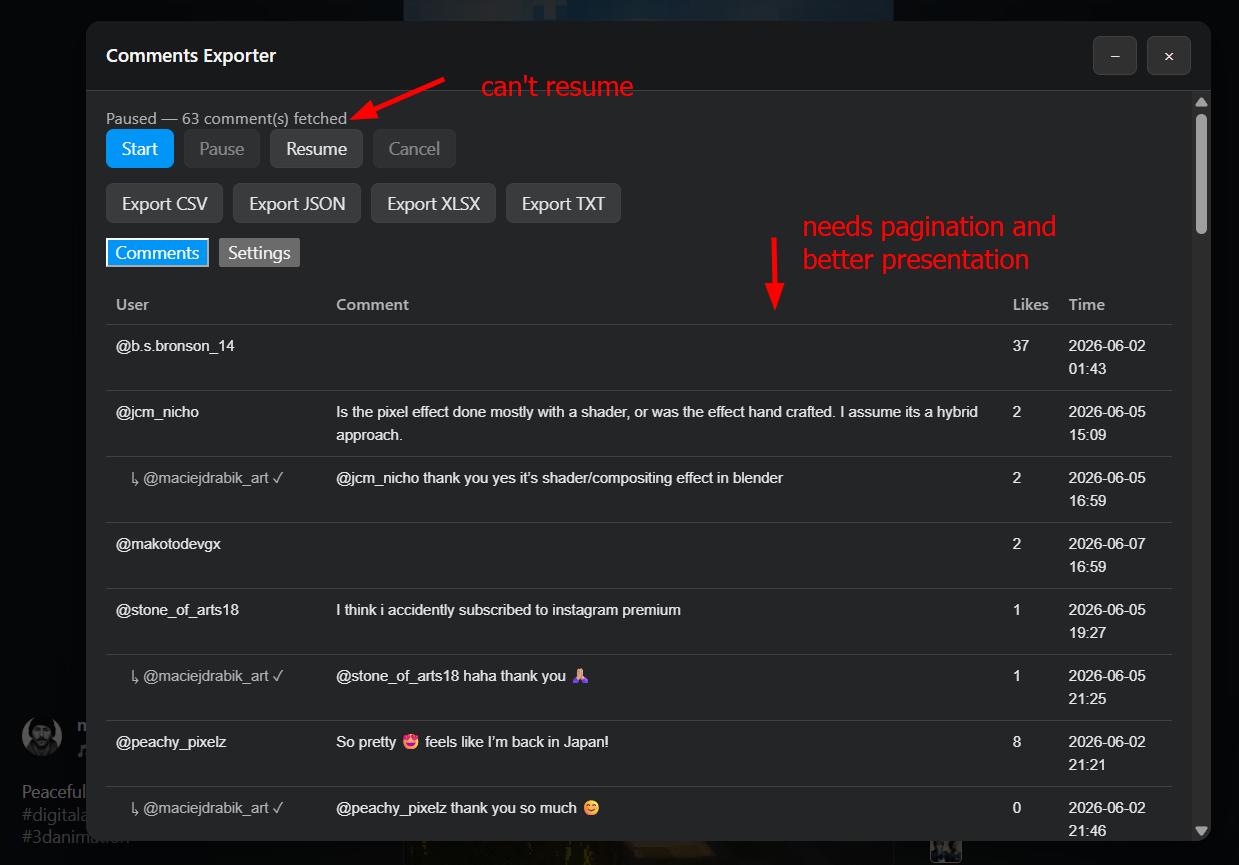
Pause/resume was working. Next up: richer feedback — a progress bar, estimated time remaining, and live comment count.
Pixel-perfect UI: from ChatGPT mockup to working modal
With functionality stable enough to move forward, I asked Cursor to describe the current UI in detail so I could feed that description to ChatGPT and get a proper design mockup.
The first design was acceptable but not exciting. I gave ChatGPT more creative freedom and described what I had in mind more loosely.
The second attempt — with fewer constraints — came out significantly better.
I saved the mockup and asked Claude to implement it pixel-perfect in HTML/CSS/JS. Before sending it, I trimmed the image so Claude could focus on the modal specifically.
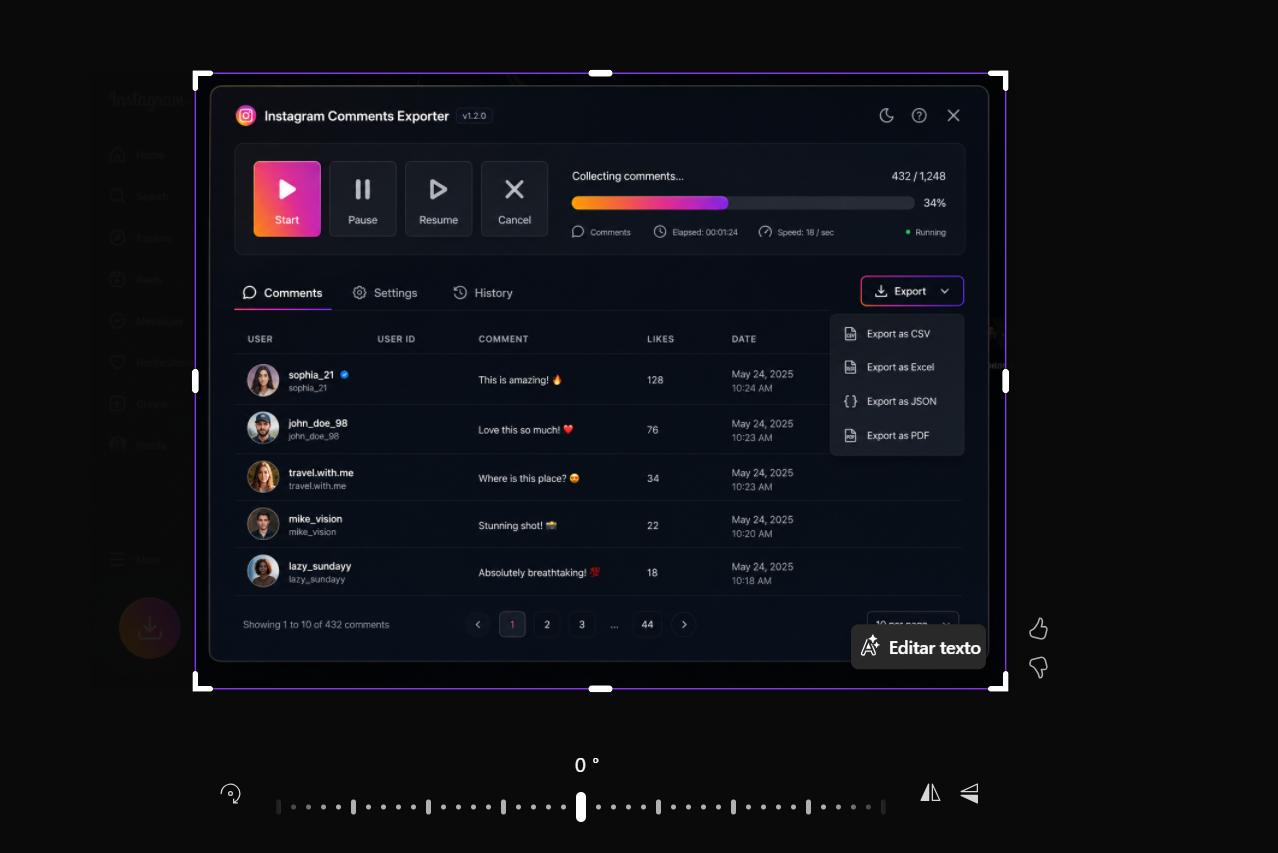
One prompt pattern I always use for image-to-code work: explicitly request "pixel perfect" and emphasize attention to detail. It consistently improves output quality.
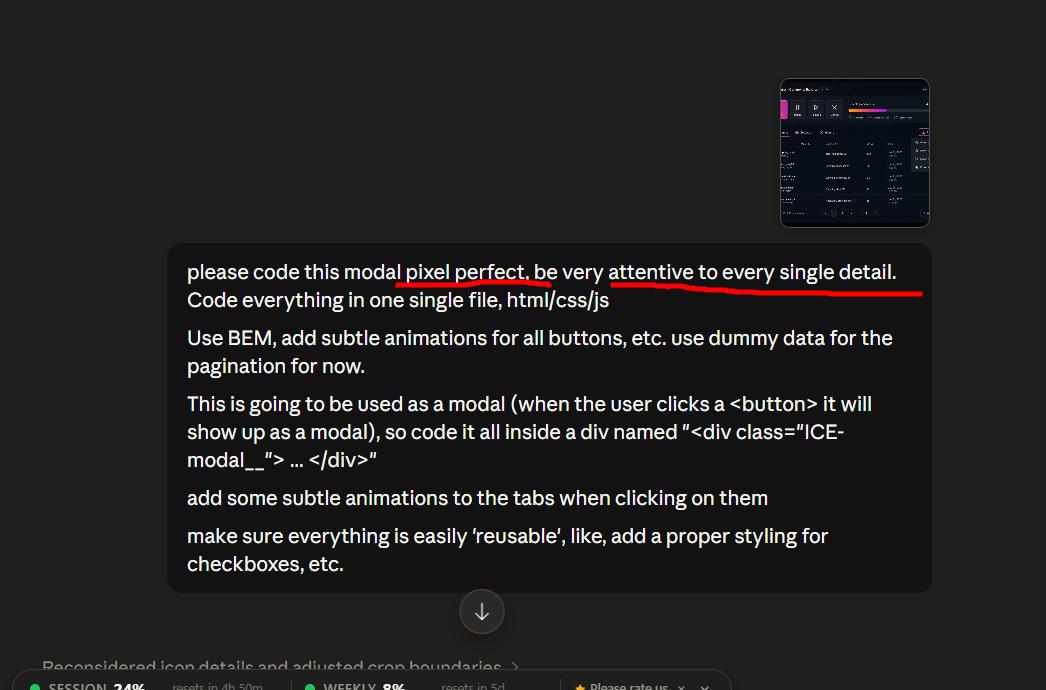
Part 1 — converting image to code:
The result:
It looked excellent. When the prompt is specific and the reference image is clear, Claude's image-to-code output is genuinely impressive. I committed this to GitHub before integrating it into the extension.
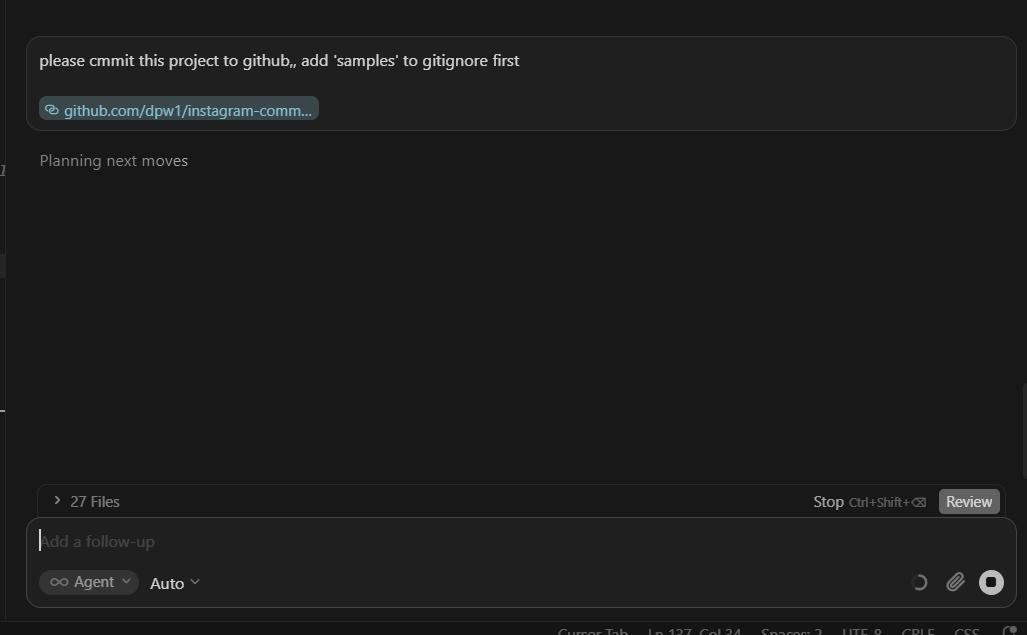
One bug to fix first:
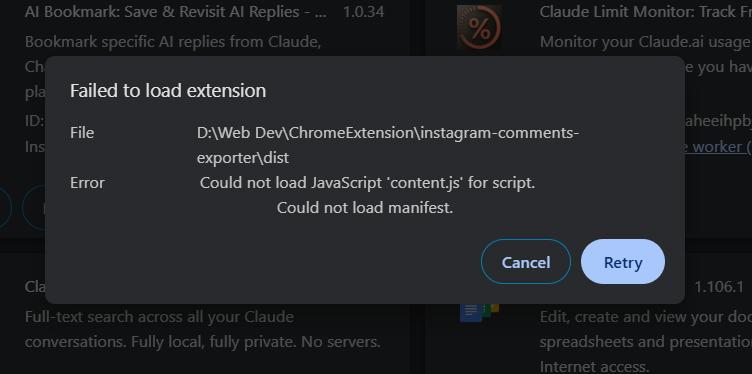
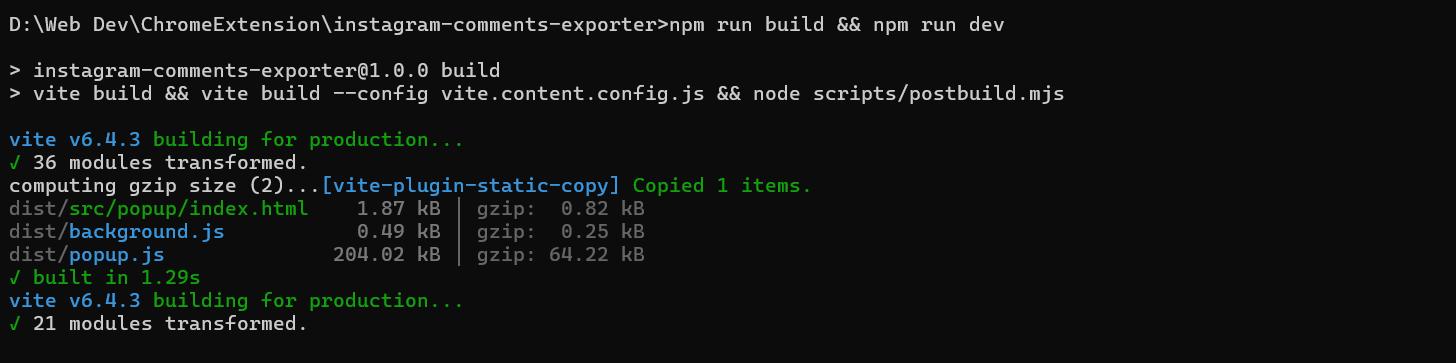
After fixing it, the extension was in good shape. The buttons were a bit oversized and the comments table deserved more vertical space, but neither was a significant change.
Moving the export button to the bottom gave the table more room:
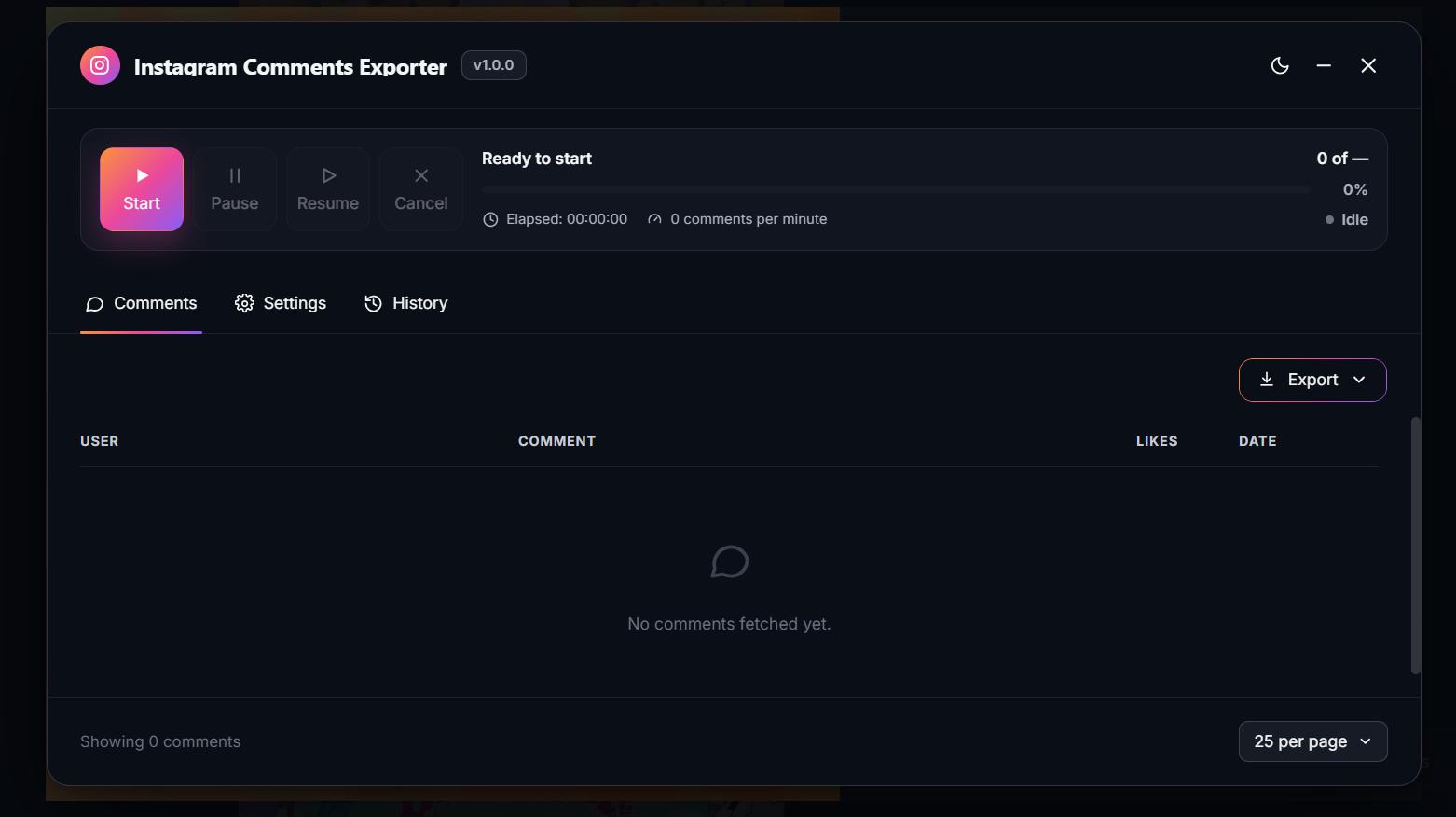
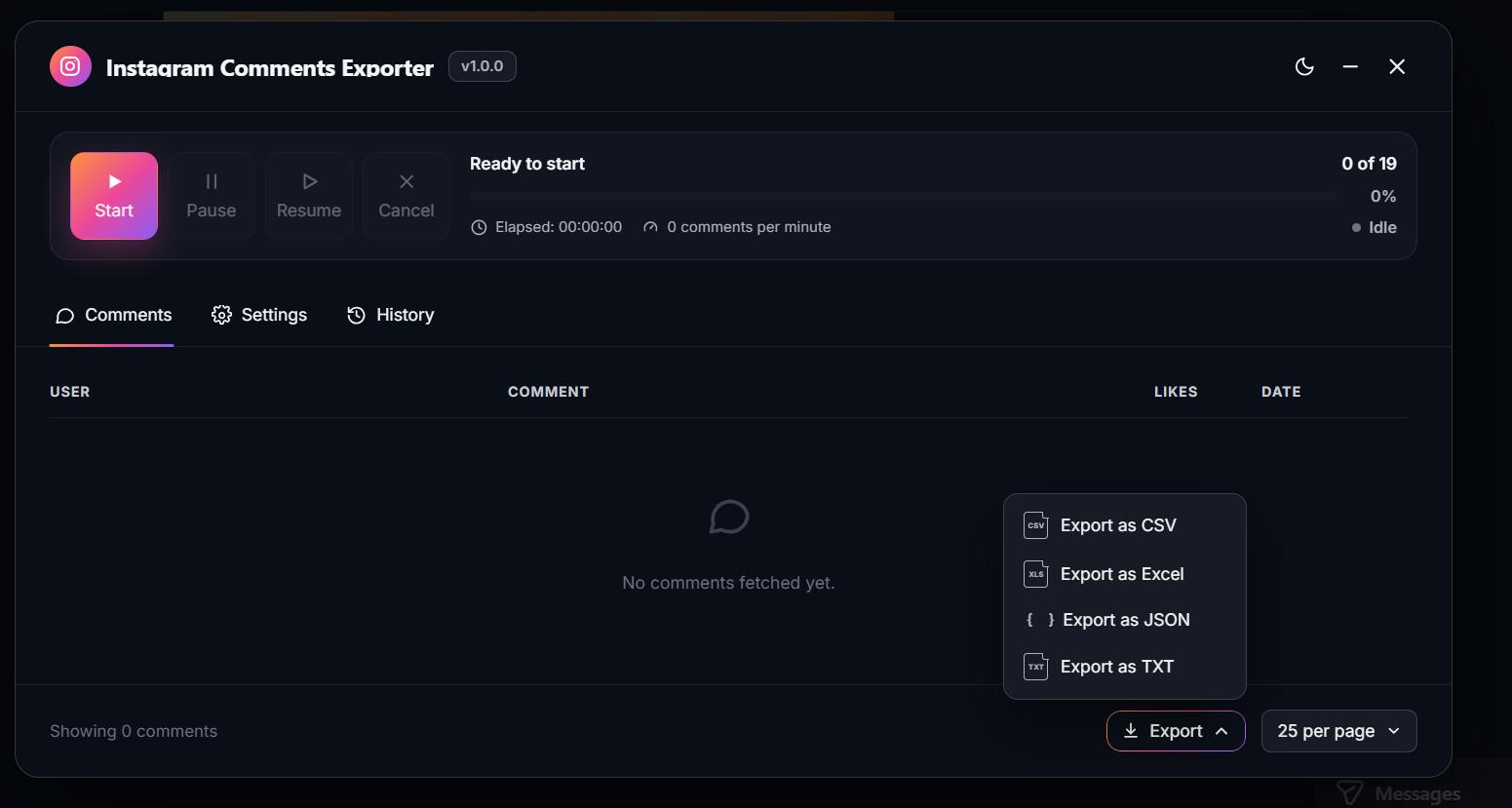
The bubble now updates in real time and auto-detects the current URL:
I still wasn't satisfied with the table height, so I went back to ChatGPT for another design pass.
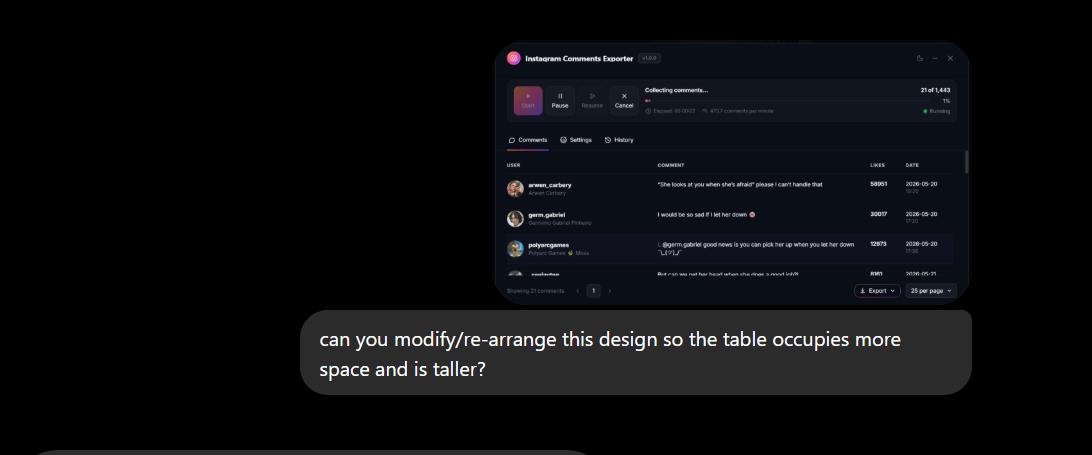
That iteration didn't add much — it just made the modal taller without solving the underlying layout issue.
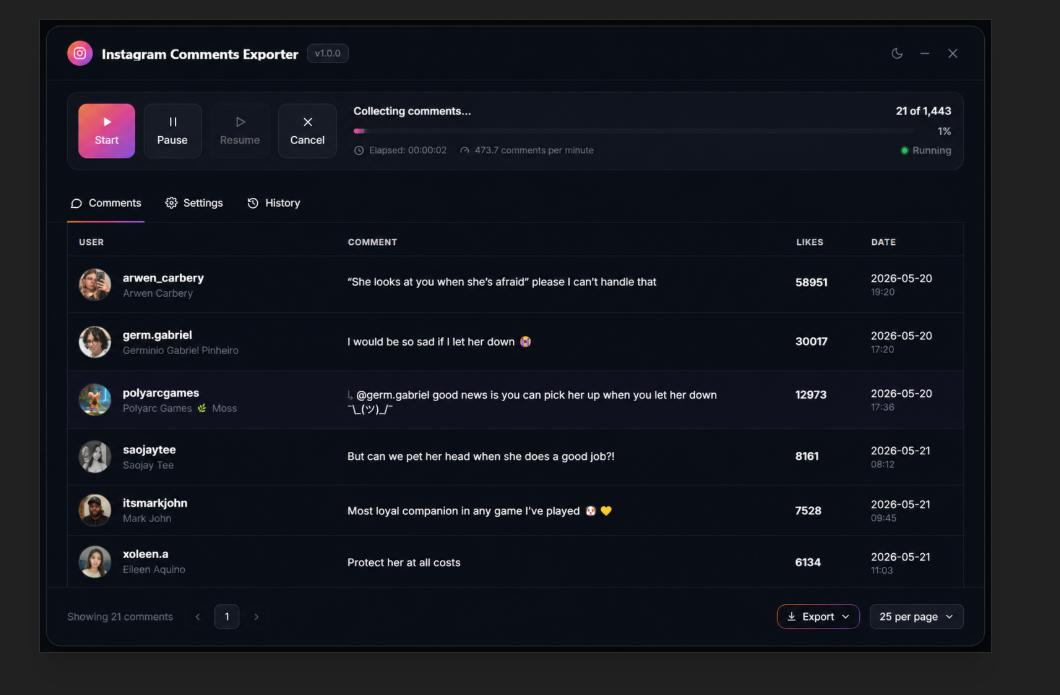
The better solution: move the extraction controls into their own tab, freeing the table to take up the full panel. I also added Chrome storage persistence so exported comments survive a modal close.
Pause/resume, Giphy replies, and shipping the MVP
The final stretch involved several smaller improvements:
- Displaying the comments table in the extraction panel
- Ensuring the resume function correctly continues from the last pagination cursor
- Persisting comments to Chrome storage between sessions
Pause/resume is now working reliably — users can stop an extraction mid-way and continue later without losing progress.
Giphy comments were still rendering as blank rows. I also added a rough time estimate so users have some sense of how long a large export will take.
Giphy comments are now displaying correctly:
At this point, the extension was ready to ship. I generated a logo in ChatGPT and submitted to the Chrome Web Store.
Making the logo
Deployed to the Chrome Web Store:
What I learned building an Instagram comments exporter
Social media tools break. That's not pessimism — it's the cost of building on Instagram's GraphQL endpoints instead of a public API. The difference between my 2022 scraper and this extension is scope: export-only, no automated likes or DMs, and a UX that respects how Instagram already loads data.
The console-first workflow paid off again. Proving pagination against https://www.instagram.com/api/graphql before writing the bubble modal saved days of extension debugging.
And the product lesson stings a little: the YouTube comments exporter has zero users. Raw export may not be a compelling enough hook on its own. Instagram comments AI analysis — sentiment, topic clustering, spam detection via Gemini Flash or similar — is probably where the real value lives. But a reliable exporter still has to come first.
Have you tried exporting Instagram comments for research, moderation, or competitor analysis? I'd love to hear what broke on your end — or whether AI analysis on top of a CSV export is something you'd actually use.
Thanks for reading!
FAQ: Instagram comments exporter
How do you export Instagram comments from a post?
The reliable approach is a Chrome extension that runs on instagram.com, reads the post's media ID from the page, then paginates through Instagram's GraphQL endpoint (https://www.instagram.com/api/graphql) using the same cookies and CSRF token as your logged-in session. The first comment batch loads with the post; additional batches fetch when you scroll, so the exporter must loop pagination cursors until exhausted.
Why do Instagram comment export tools stop working?
Instagram changes DOM structure, API query hashes, and anti-bot measures every few months. Tools that scrape HTML break faster than tools that call the same GraphQL endpoints the web app uses — but even GraphQL-based exporters need maintenance when query variables or headers change.
What data should an Instagram comments CSV include?
At minimum: username, comment text, timestamp, like count, and reply thread ID. Useful additions: profile picture URL (note: often temporary), Giphy/media URLs for sticker-only replies, and pagination state so exports can pause and resume on large threads (2,000+ comments on Reels is common).
Is exporting Instagram comments legal?
This post is not legal advice. Exporting comments you can already see while logged in, for personal research or moderation on accounts you manage, carries a different risk profile than bulk scraping at scale with burner accounts. Check Instagram's Terms of Service and applicable laws in your jurisdiction before exporting or analyzing third-party data commercially.
How is this different from the Instagram DM Exporter?
Same platform, same playbook. The Instagram DM Exporter paginates DM threads; this extension paginates post comments via GraphQL. Both reverse-engineer Instagram's internal API from the Network tab before becoming Chrome extensions.
Can you analyze Instagram comments with AI?
Yes — and that may be more valuable than CSV export alone. Once comments are structured (username, text, timestamp), you can batch them through Gemini Flash or similar APIs for sentiment analysis, topic clustering, or spam detection. Export is step one; analysis is the product layer worth building next.
More from the blog
Keep reading
12 Chrome Extensions Deployed Within 2 Months (Not AI Slop). All Data + My First Financially Successful Extension
I coded and published 12 extensions in 52 days and documented every single one - all my private data, the numbers, what I learned, and the story of my first financially successful Chrome extension.

I Made My First Sale in This Series! (Shopify Client Work, $1400)
How I landed a $1400 Shopify project, used AI to analyze competitors, built a custom product page with metafields, and shipped a full ecom store - all while using a Chrome extension I built myself to sync the theme in real time.
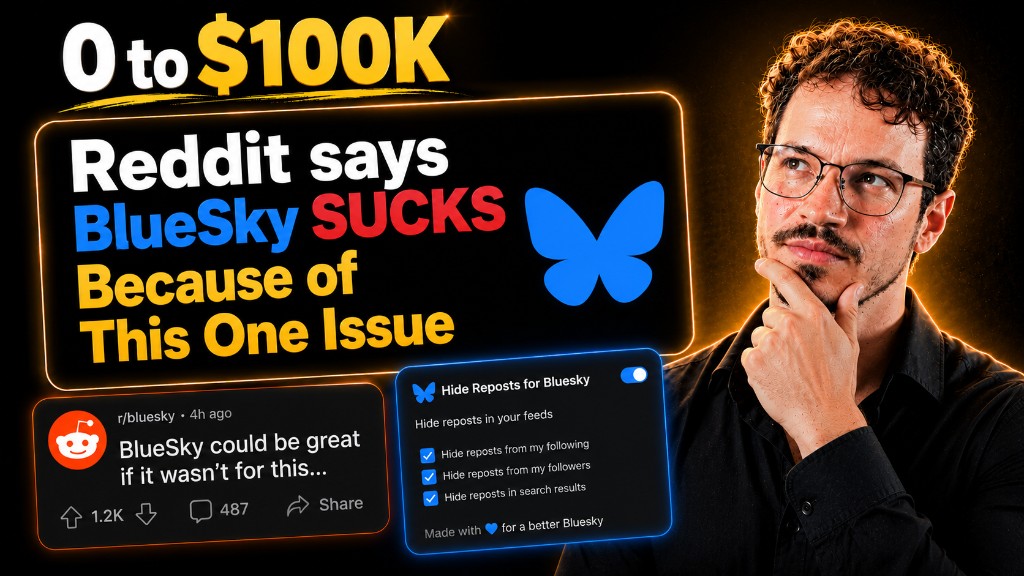
Twitter Blocked Me, I Moved to BlueSky, But It Had One Major Issue. So I Built a Chrome Extension to Fix It
How I got blocked by Twitter, ended up on Bluesky, scraped 13k Reddit comments to find a chrome extension idea, and shipped a free extension to hide reposts from specific accounts — all in one session.